Understand the Dashboard

Modified on Mon, 16 Mar at 4:36 PM

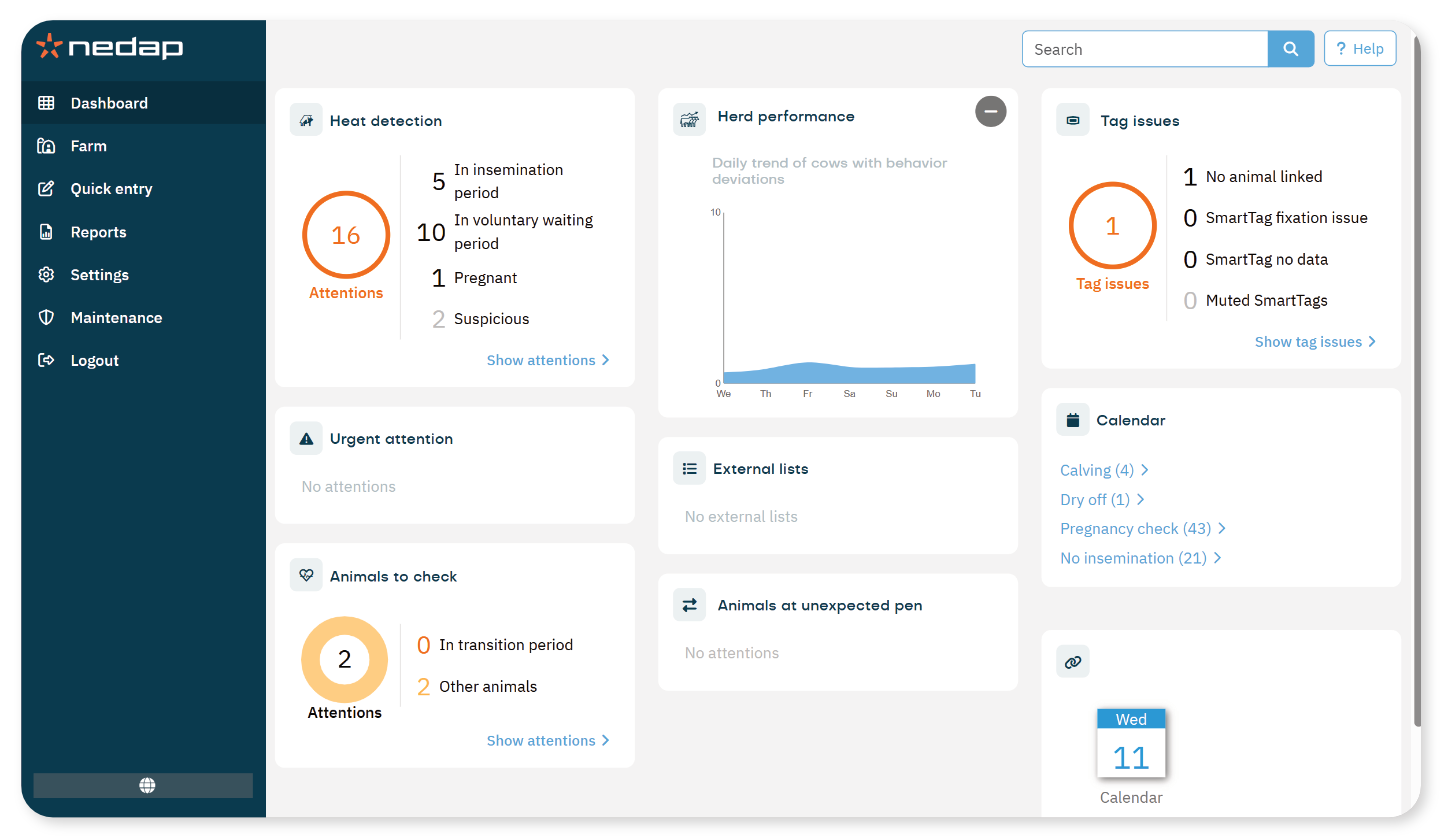
The Dashboard is your central place for managing you farm. This article explains when to use each tile an overview of their features and purposes.

  • Service: shows the service checklist to indicate which required configuration steps have been completed correctly. 
  • Heat detection: shows animals with a heat attention. It gives a quick overview of whether action is required. 
  • Urgent attention: shows animals that require immediate action. An urgent attention appears when inactive behavior continues for too long.
  • Animals to check: shows animals with behavior changes that may indicate a health issue. Use this tile to quickly see which animals require your attention.
  • Herd performance: shows the percentage of animals in the herd that display unusual behavior.
  • External lists: shows lists of animals that are imported from another database. 
  • Animals at unexpected pen: shows animals that are detected in a different pen than their assigned pen.
  • Parlour cleaning: shows when milking points have not been cleaned or not cleaned properly after milking 
  • Sorted animals: shows animals that were sorted the past two days
  • Tag issues: shows tag issue types.
  • Calendar: shows calendar attentions.
  • Feeding: shows feeding attentions.
  • Milking: shows
  • System notifications: shows the current system notifications
  • System attentions: shown as a banner at the top of the screen, urgent system attentions.


Was this article helpful?

That’s Great!

Thank you for your feedback

Sorry! We couldn't be helpful

Thank you for your feedback

Let us know how can we improve this article!

Select at least one of the reasons
CAPTCHA verification is required.

Feedback sent

We appreciate your effort and will try to fix the article

category image

Velos webhelp

Open navigation