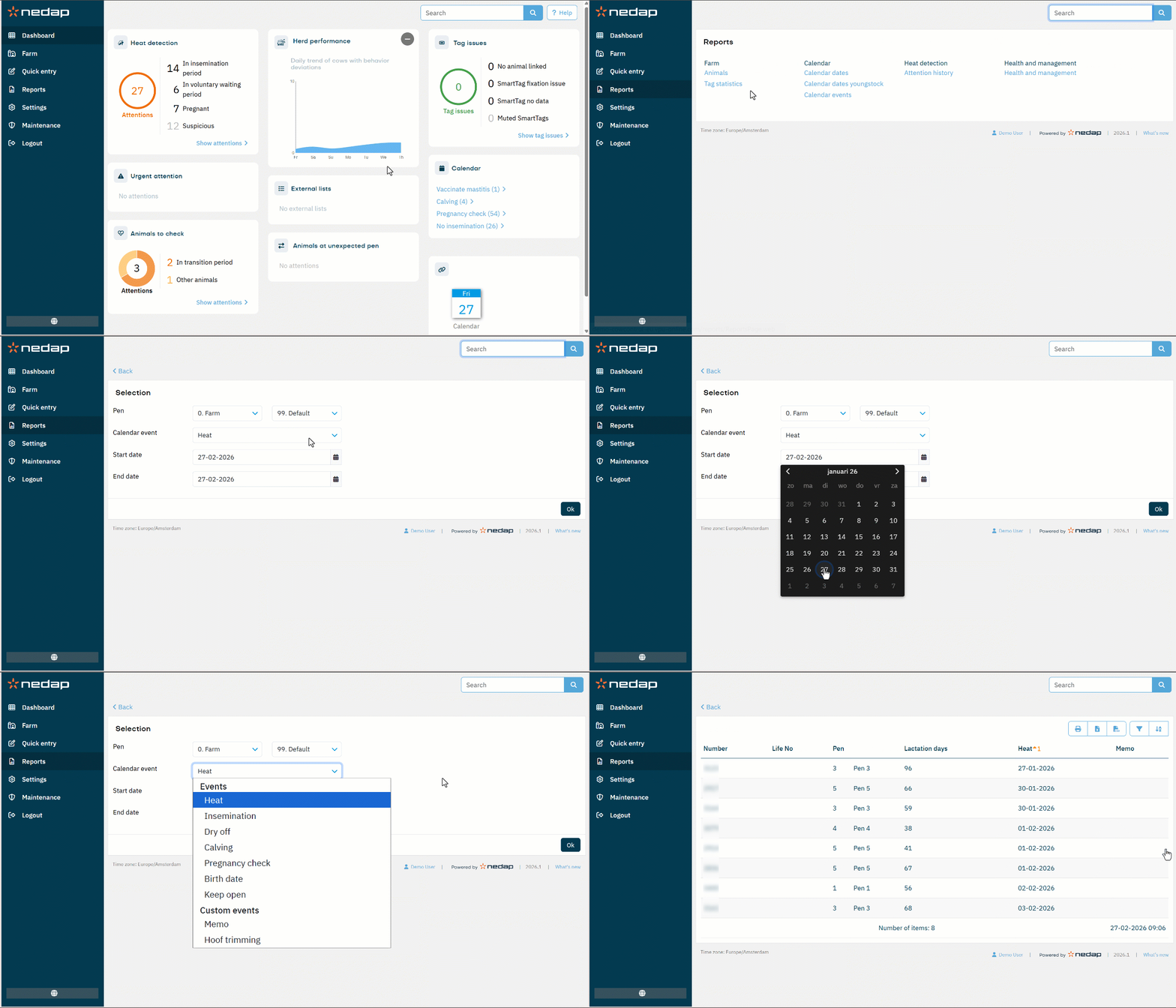
Velos offers a set of Calendar reports that provide essential insights into all time-based activities within the herd. The Calendar events report shows all recorded events, such as calving, insemination, or dry-off actions.
Make a Calendar Events Report
- Select Reports from the menu.
- Under Calendar, select Calendar events.
- Under Pen, define which animals to include:
- Use the two drop-down lists to define a range.
- To include a single value, select the same option in both drop-down lists.
- Under Calendar event, select the event to report.
- Select the Start date and End date to define the reporting period.
- Select Ok to confirm and generate the report.