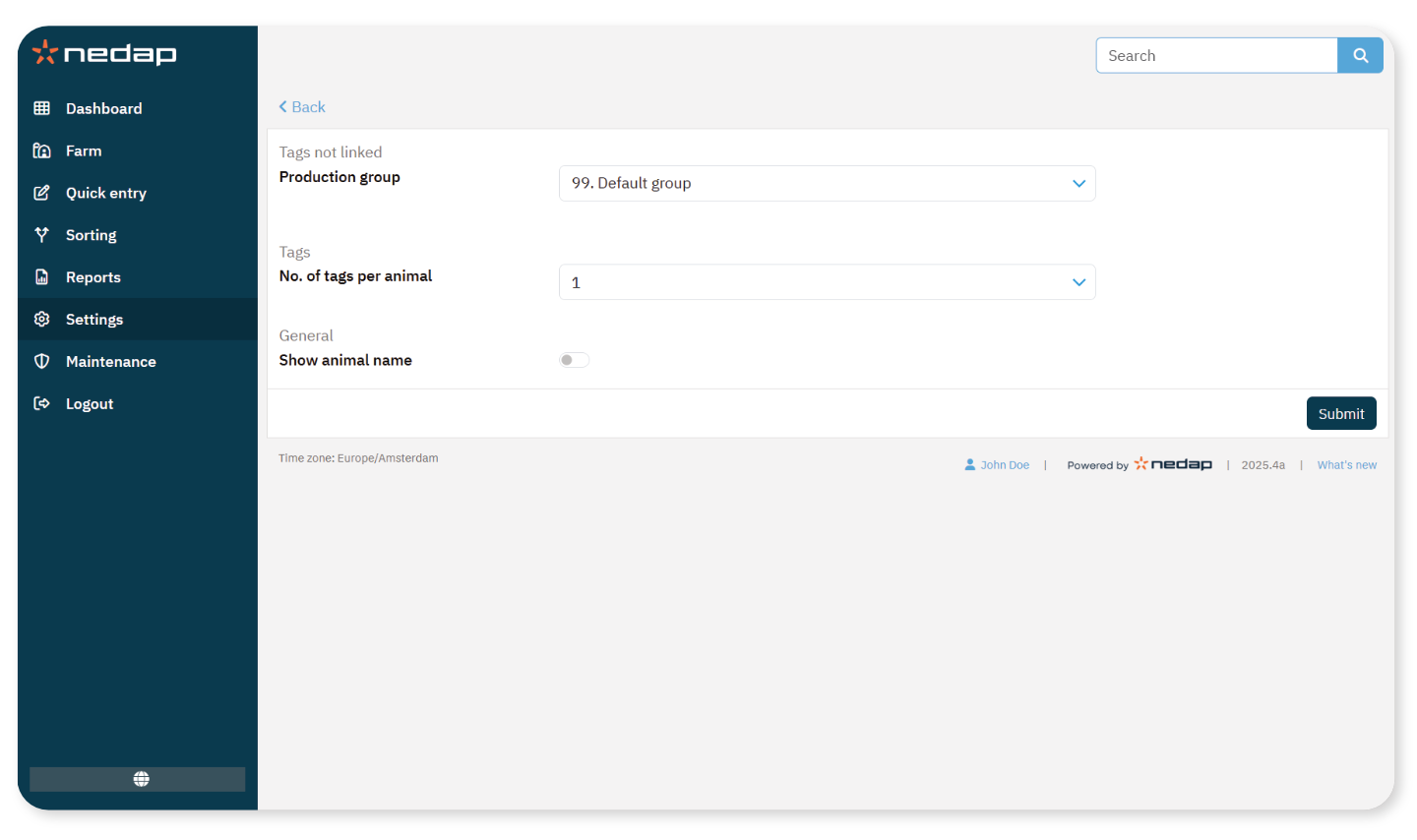
Unlinked tags are detected by an antenna but are not linked to any animal in the system.
Use these settings to define how the system handles unlinked tags.
What Happens with Unlinked Tags
When a tag is detected without a linked animal:
Available Settings
You can configure:
Production group: The group where unlinked tags are assigned
No. of tags per animal: The set number of tags per animal
Show animal name: Display the animal name in the data
For more information about the number of tags per animal, see Configure the number of tags per animal.
Change Settings for Unlinked Tags
Select Settings from the menu.
Under Farm, select General.
- In Production group, select the group to which unlinked tags should be assigned.
- To include animal names in the data, enable Show animal name.
Select Submit.