After defining the daily feed amount, you must configure how the feed is distributed and controlled during the day.
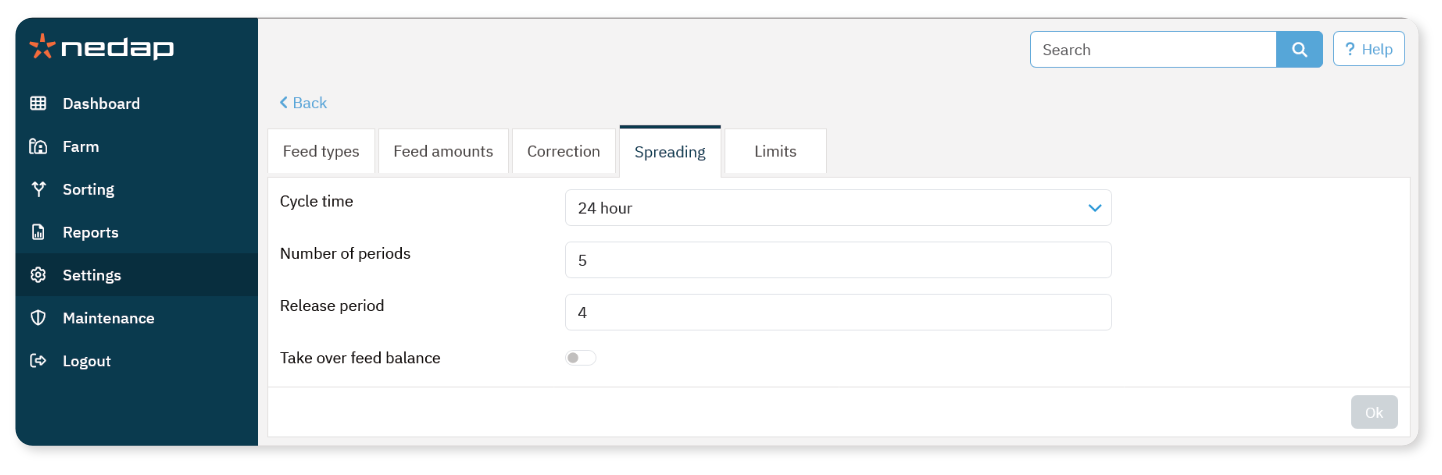
Spreading determines when and how often feed is released. Limits determine how much feed can be consumed per period.
Configure Spreading
Spreading divides the total daily feed amount into smaller portions.
Select Settings from the menu.
Under Feeding, select Feed plans.
Select the feed plan.
Open the Spreading tab and configure the following:
Cycle time: Total hours used to divide the daily feed amount.
Number of periods: Number of feeding moments within the cycle.
Release period: Number of periods that release feed.
Take over feed balance: Transfers remaining feed to the next day.
A shorter cycle time means animals must visit the feed station more often.
NoteIf too much feed is transferred to the next cycle, the risk of overfeeding increases.
Use Max. take over (see Configure Limits) to prevent this.
Configure Limits
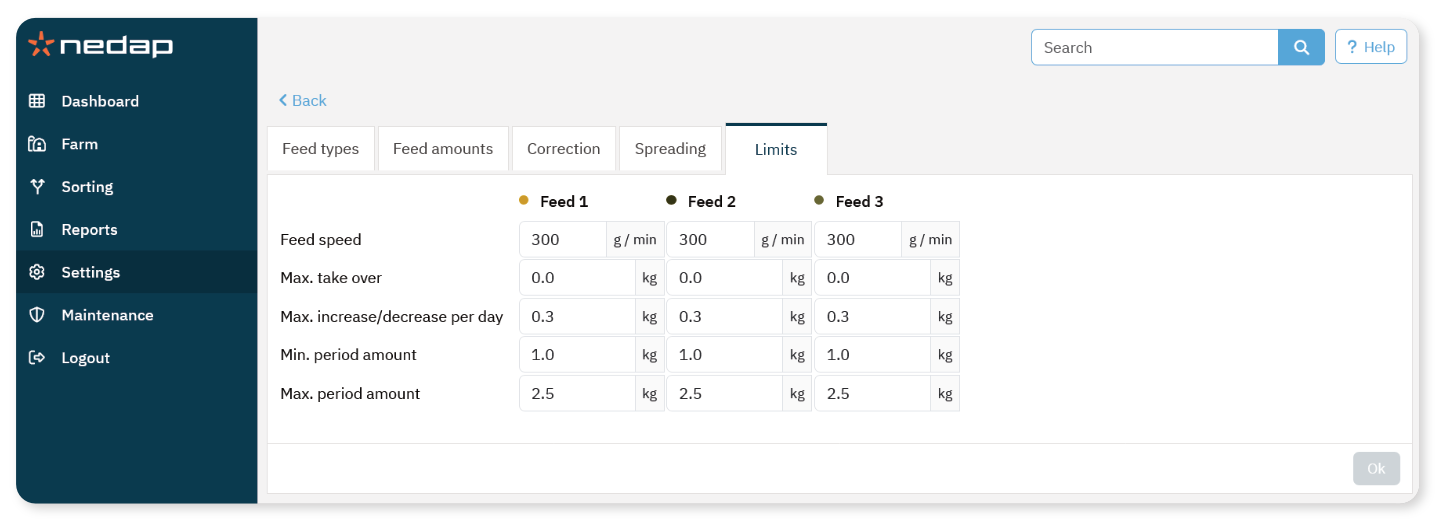
Limits control how much feed a cow can receive per period and per day.
Select Settings from the menu.
Under Feeding, select Feed plans.
Select the feed plan.
Open the Limits tab.
Configure the following per feed type:
Feed speed: Portion dosing speed (default: 300 g/min).
Max. take over: Maximum amount carried over to the next day.
Max. increase/decrease per day: Limits sudden daily feed changes.
Min. period amount: Prevents very small portions.
Max. period amount: Maximum feed per period.
NoteMax. increase/decrease per day and Max. period amount are critical to prevent overfeeding.
The Max. increase/decrease per day setting overrules large feed adjustments from the feed curve.