Health attentions help you detect animals with abnormal behavior. Correct sensitivity settings help detect health issues early while limiting false attentions.
- If the sensitivity is set too high, you may receive too many false attentions.
- If the sensitivity is set too low, possible health issues may be missed.
How Health Attentions are Determined
Velos creates a health attention when:
- An animal’s behavior deviates from its normal pattern.
- The deviation exceeds the defined threshold.
- The deviation continues for a certain period of time.
Group alerts are generated separately when multiple animals show similar deviations.
Adjust Health Attention Sensitivity
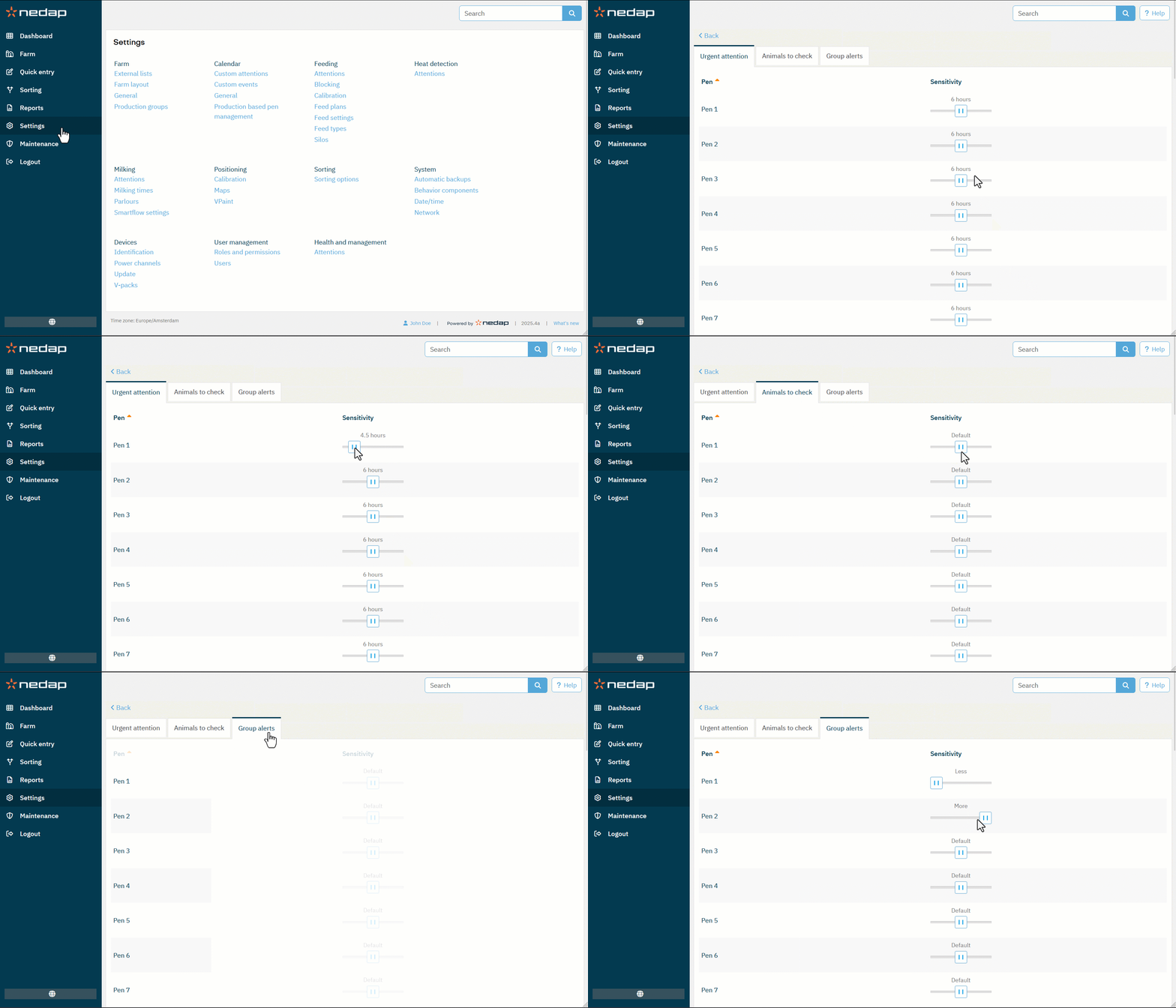
Urgent attention
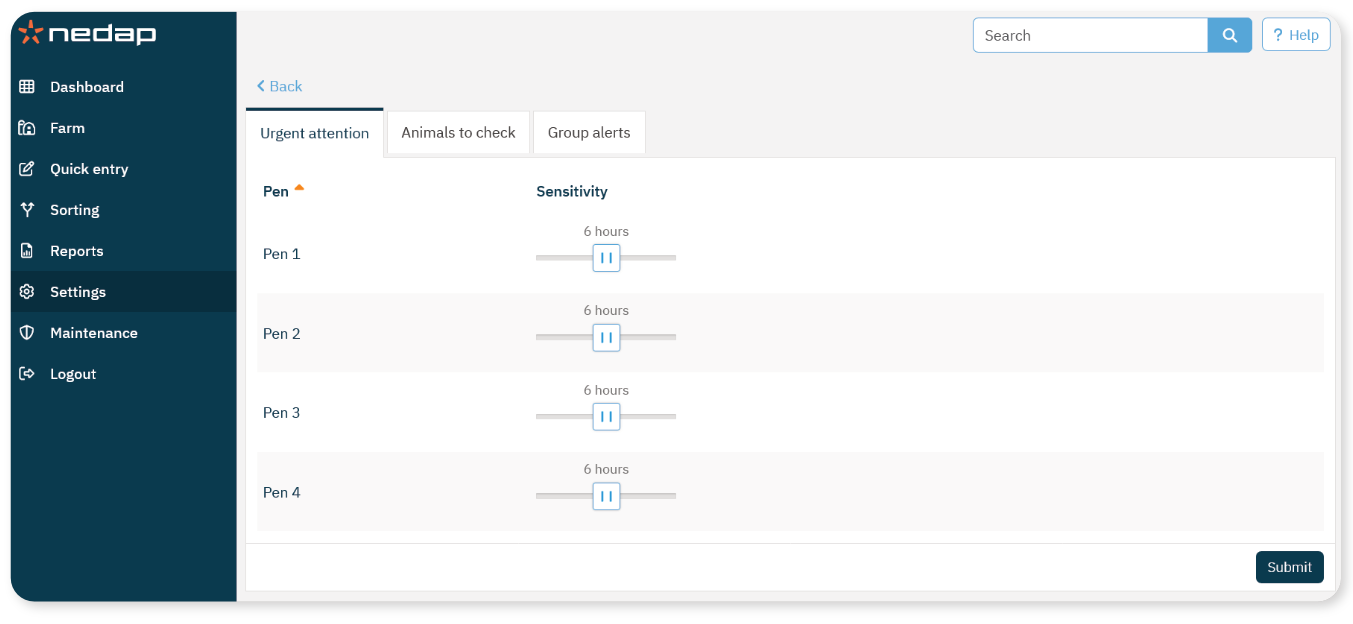
Set how many hours a behavior deviation must continue before it becomes an urgent attention.
The default setting is 6 hours.
Animals to check
Adjust the sensitivity of health attentions that appear in the Animals to check list.
Group alerts
Adjust how quickly group-related attentions are generated.
Change the Sensitivity Settings
Select Settings from the menu.
Under Health and Management, select Attentions.
Adjust the Sensitivity sliders
Select Submit to save your changes.