You can receive email notifications for different types of attentions in Velos.
Email notifications help you stay informed about important events, such as health issues, heat detection, feeding alerts, or system warnings.
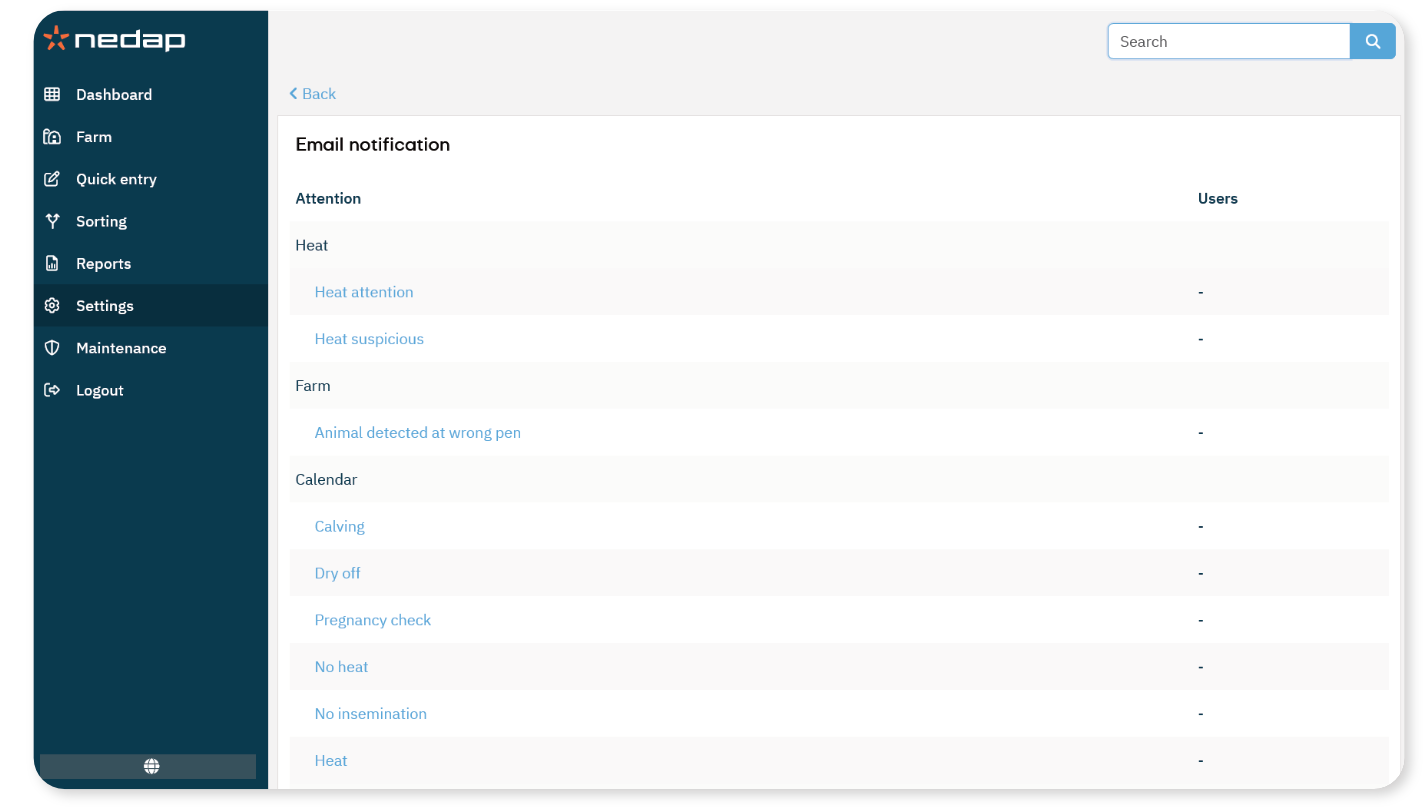
Enable email notifications
- Select Settings from the menu.
Under User management, Select Email notification.
Select the attention type for which you want to receive an email.
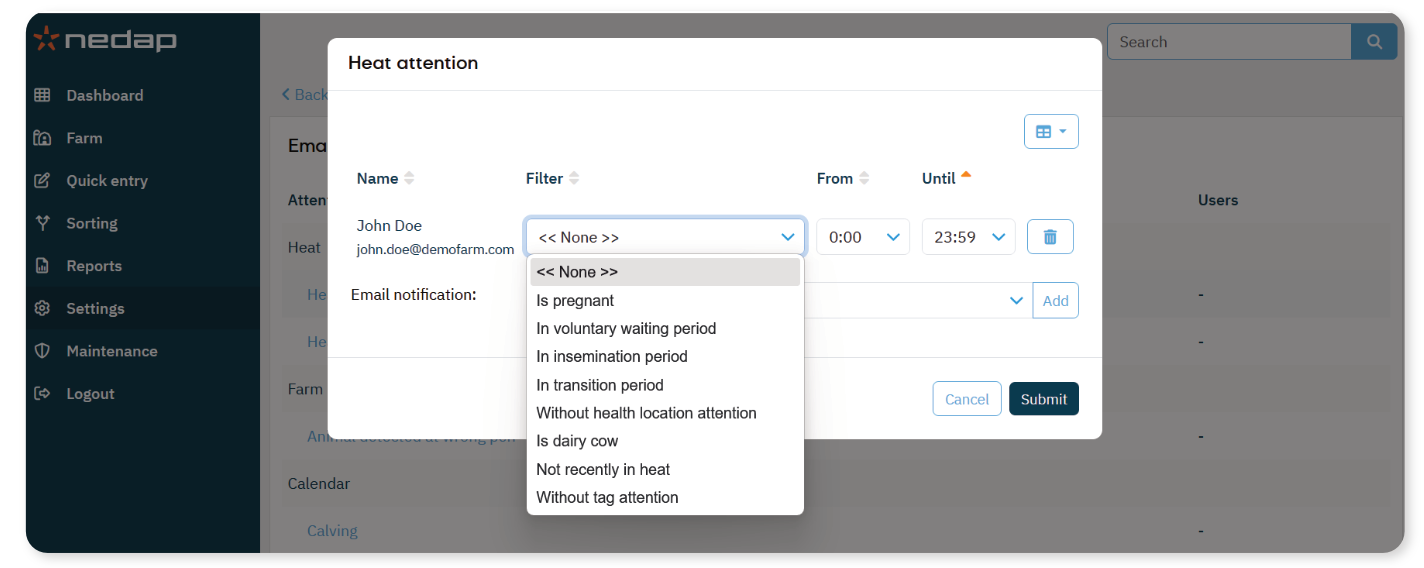
In Email notification, select the user who should receive the notification.
Select Add.
Select Submit.
The selected user will now receive email notifications for that attention.
Set Notification Time Window
You can define the time period during which emails are sent.
From: Start time
Until: End time
Emails are sent only within the selected time window. If an attention occurs outside this time window, the email is sent when the next valid time window starts.
Use Filters (if available)
Some attention types include a Filter option. Use filters to limit notifications to specific animals, groups, or conditions.
If no filter is selected, notifications are sent for all relevant attentions.
Check User Email Addresses
Make sure the selected user has a valid email address.
Select Settings.
Under User management, Select Users.
Open the user profile.
Verify that a valid email address is entered.
Remove a User from a Notification
- Select Settings from the menu.
Under User management, Select Email notification.
Select the attention type for which you want to remove the user.
Select the delete icon next to the user.
Select Submit.
