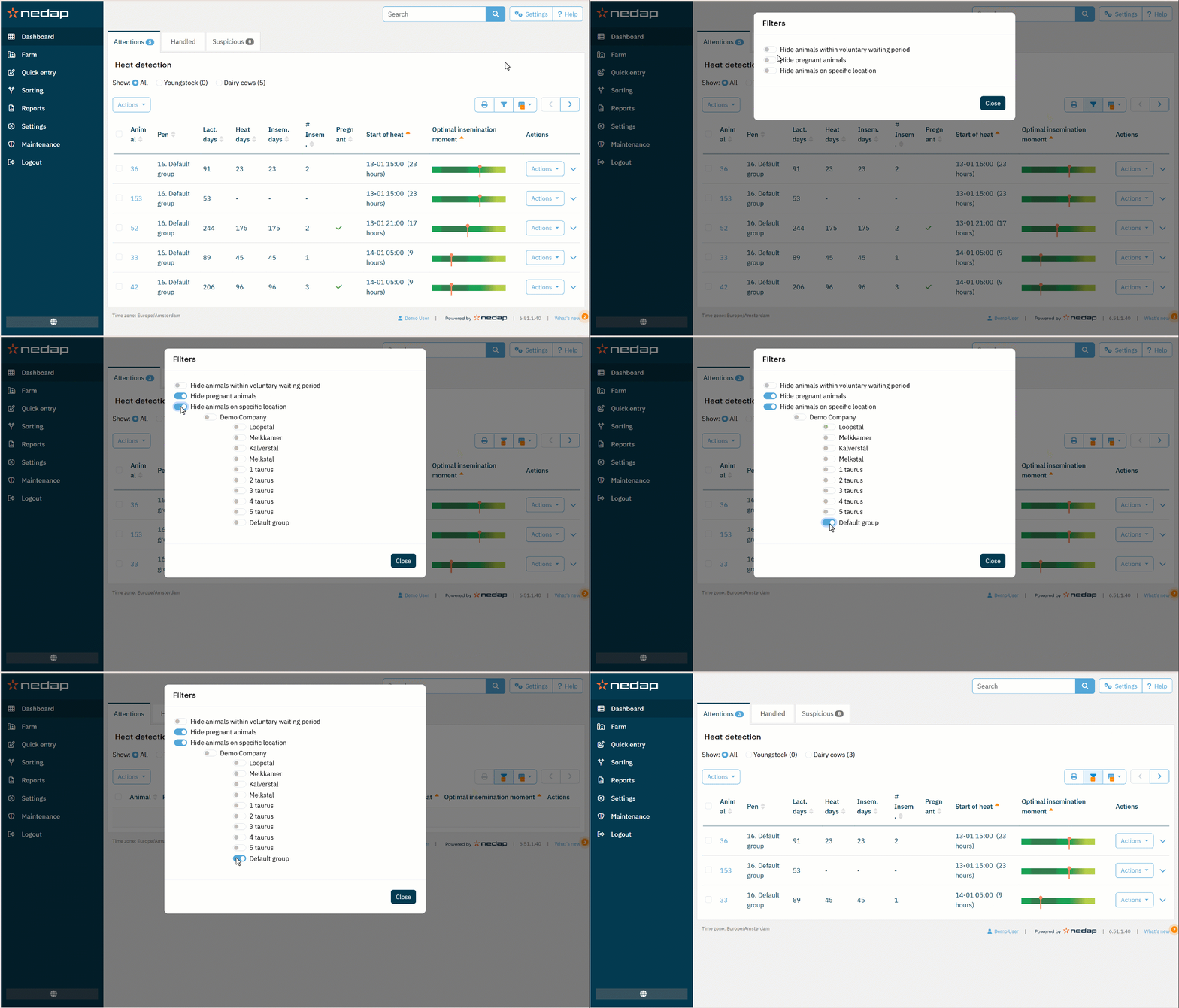
By default, Velos shows all animals with a heat attention. This includes pregnant animals, dried off animals, animals in the voluntary waiting period (VWP), and animals on all locations.
You can control which animals appear on the Heat attention list.
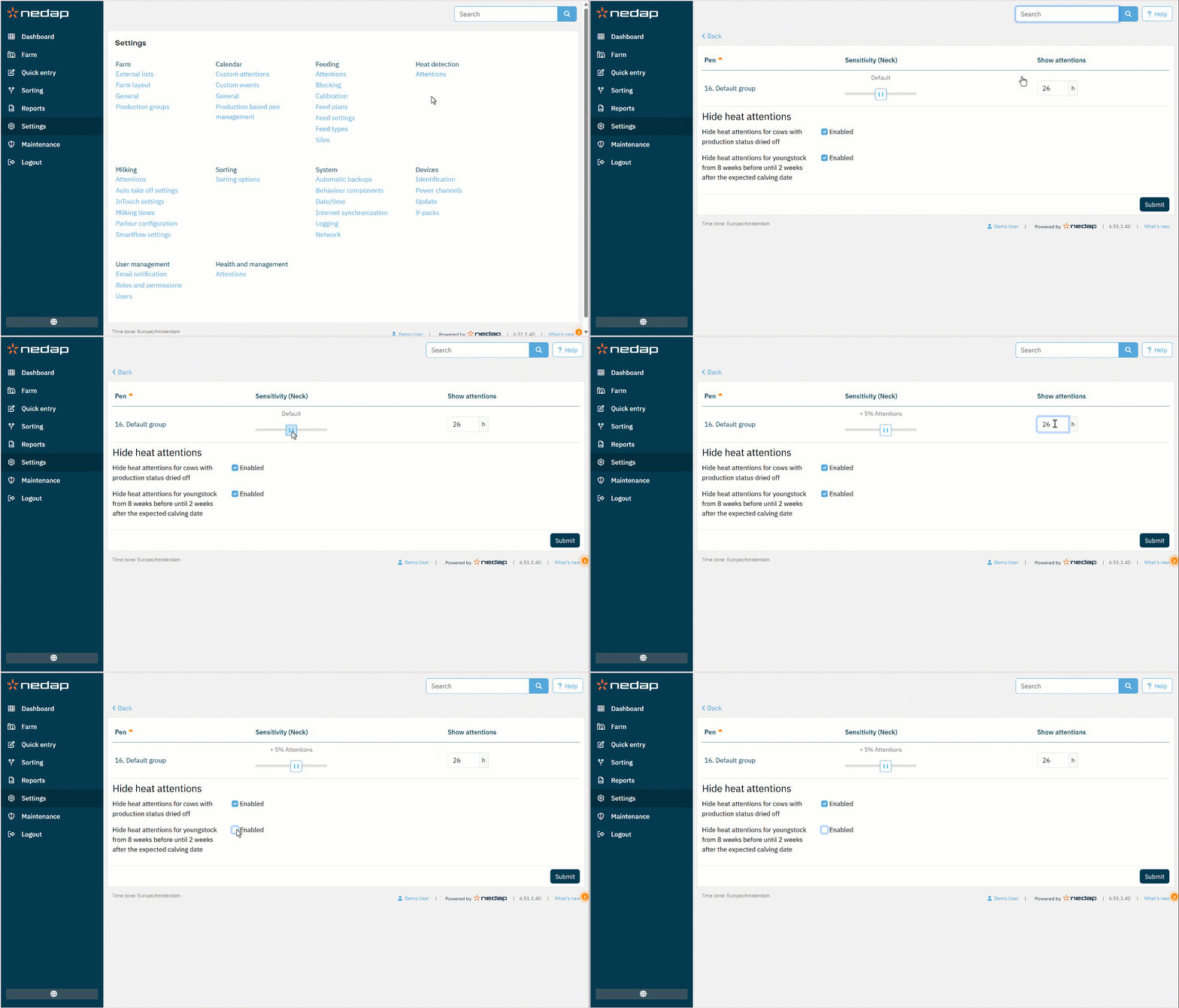
Exclude Dried off Cows and Youngstock
To prevent dried off cows and youngstock from appearing on the Heat attention list:
- Select Settings from the menu.
- Under Heat detection, select Attentions.
- Decide on your settings:
- Enable Hide heat attentions for cows with production status dried off.
- Enable Hide heat attentions for youngstock from 8 weeks before until 2 weeks after the expected calving date.
Exclude animals based on VWP, Pregnant or Location
Follow these steps:
- On the Dashboard, in the Heat detection tile, select Show attentions.
- Select the Filter
 icon.
icon. - Enable the desired filters to exclude animals from the list. For Hide animals on specific location, enable the locations you want to hide from the list.
- Select Close.
Velos updates the Heat Attentions list based on your filter selection.