If you do not use a Farm Management Program, you must assign feed plans or fixed feed amounts directly in Velos.
Assign Feed to One Animal
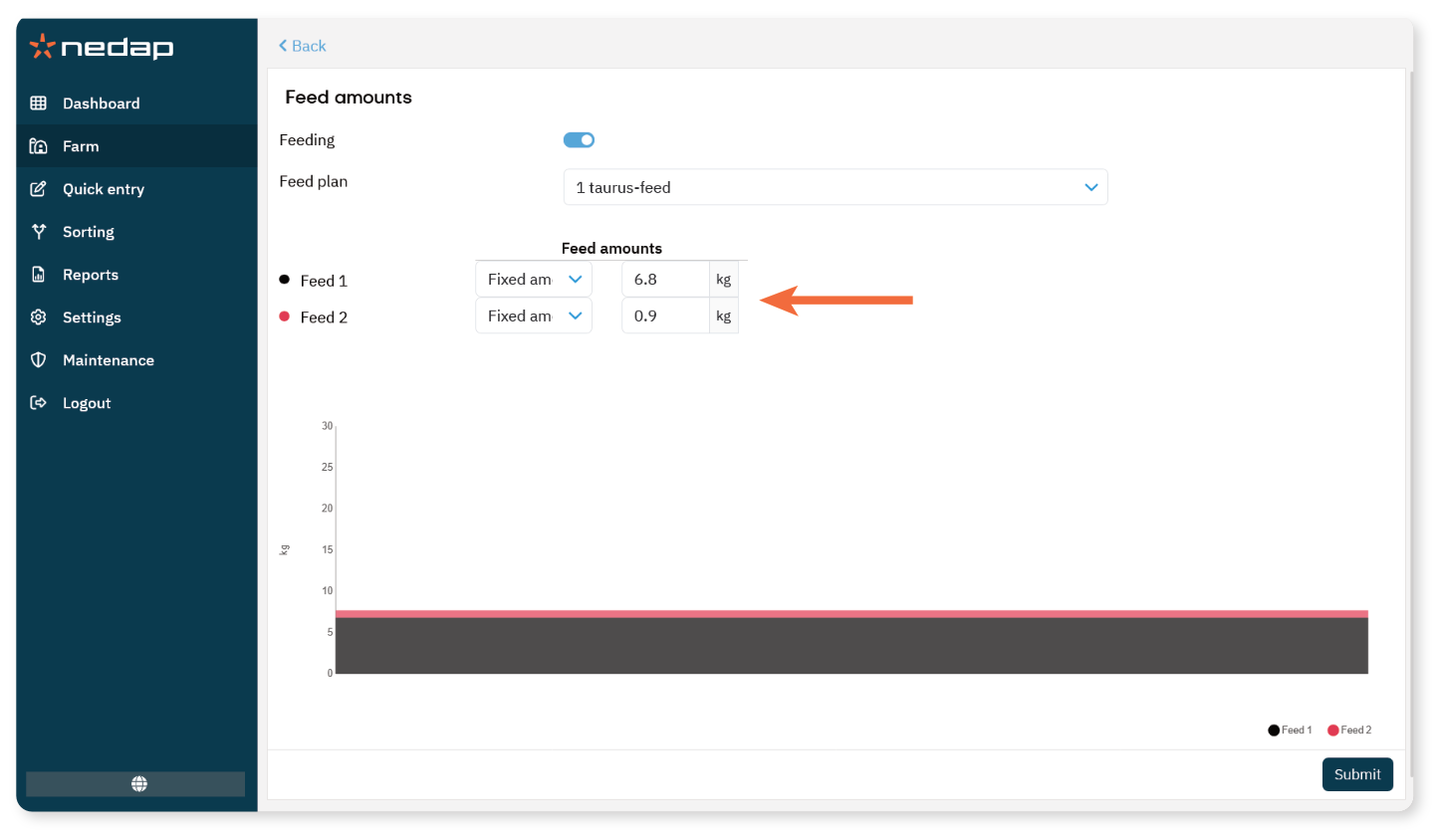
Enter the animal number in the Search field.
Open the animal page.
Select the Feeding tab.
Select Edit.
In Feed amounts, choose one of the following:
Select a Feed plan, or
Select Fixed amount.
If using a fixed amount, enter the daily feed amount per feed type (kg).
Select Submit.
The animal will follow the new feed setting after the next feed start.
Assign a Feed Plan to Multiple Animals
For multiple animals or groups, use Quick entry.
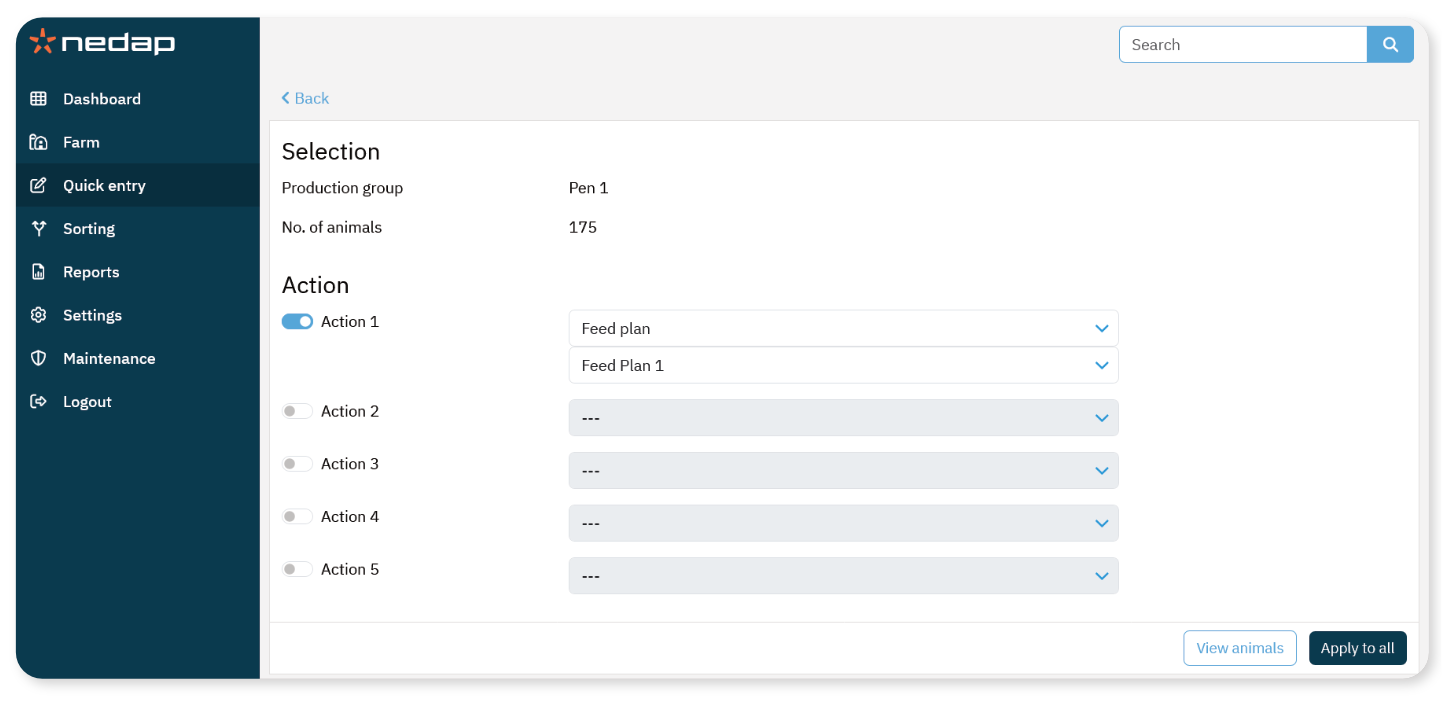
Select Quick entry.
Define your selection (animal numbers, group, or other criteria).
Select Next.
Review the selected animals.
Enable an Action.
Under Feeding, select Feed Plan.
Select a Feed Plan from the drop-down menu.
Select Apply to all.
The selected animals will follow the new feed plan after the next feed start.
NoteFixed feed amounts can only be assigned to individual animals.
When changing feed settings, always verify that spreading and limits are configured correctly.
