The Health and management report provides an overview of animal behavior data.
Use this report to review eating time, rumination, and inactivity per animal and to identify animals that may require attention.
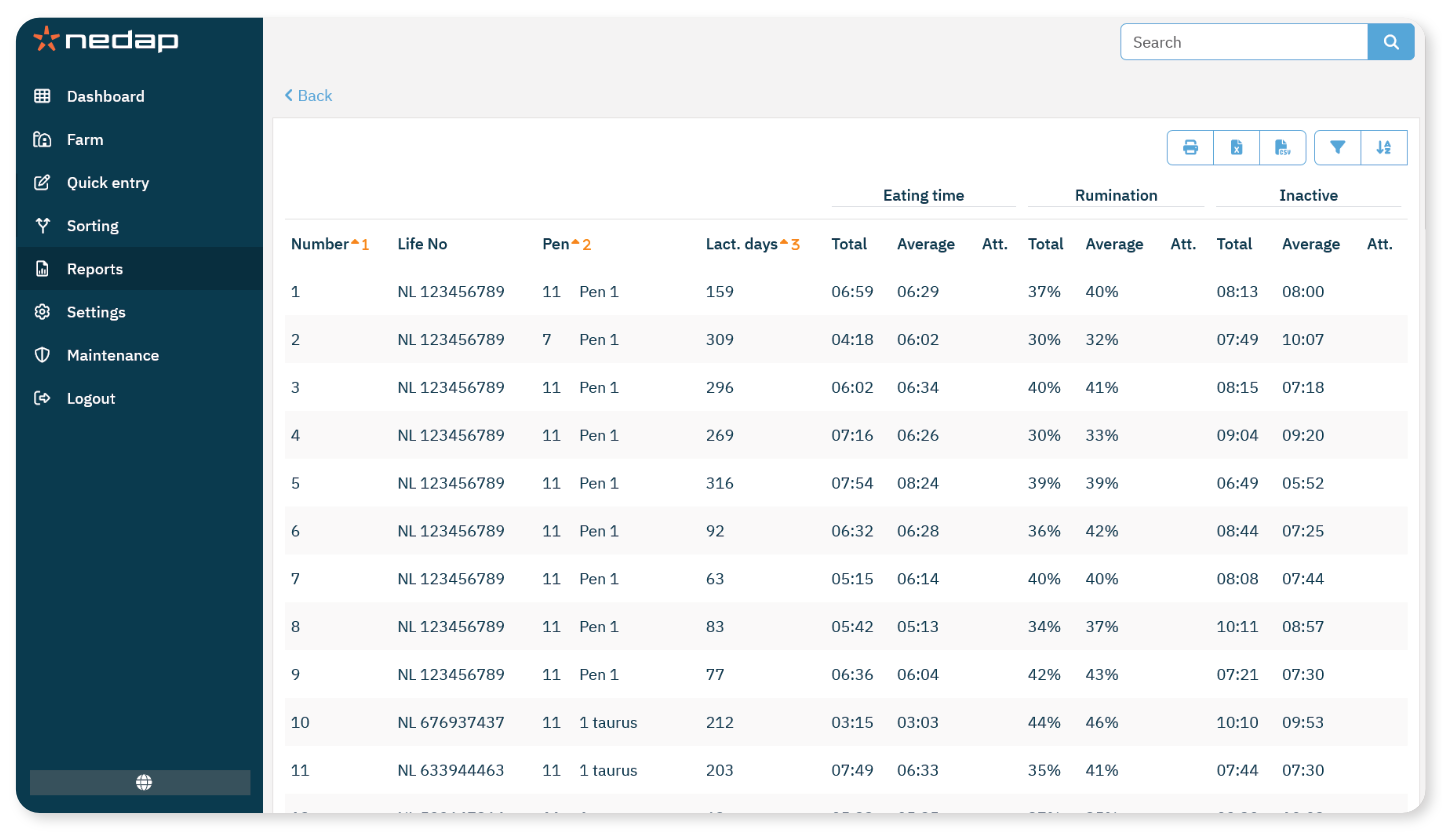
What the Report Shows
For Eating time, Rumination, and Inactive, the report shows:
To View the Report
- Go to Reports.
- Under Health and Management, select Health and Management.
- Review the list.
- You can sort and filter the data as needed.
- Compare the Total and Average columns.
- (Optional) Print the report or export it as a CSV, Excel or PDF file.
How to Use this Report
Use this report to:
Compare actual behavior with average values
Identify deviations in eating, rumination, or inactivity
Detect patterns across groups or pens
Animals with values that differ significantly from the average may require further investigation.
