A Feed balance attention appears when an animal has not eaten enough of its allocated feed.
An attention is generated only when both the absolute and percentage thresholds are exceeded.
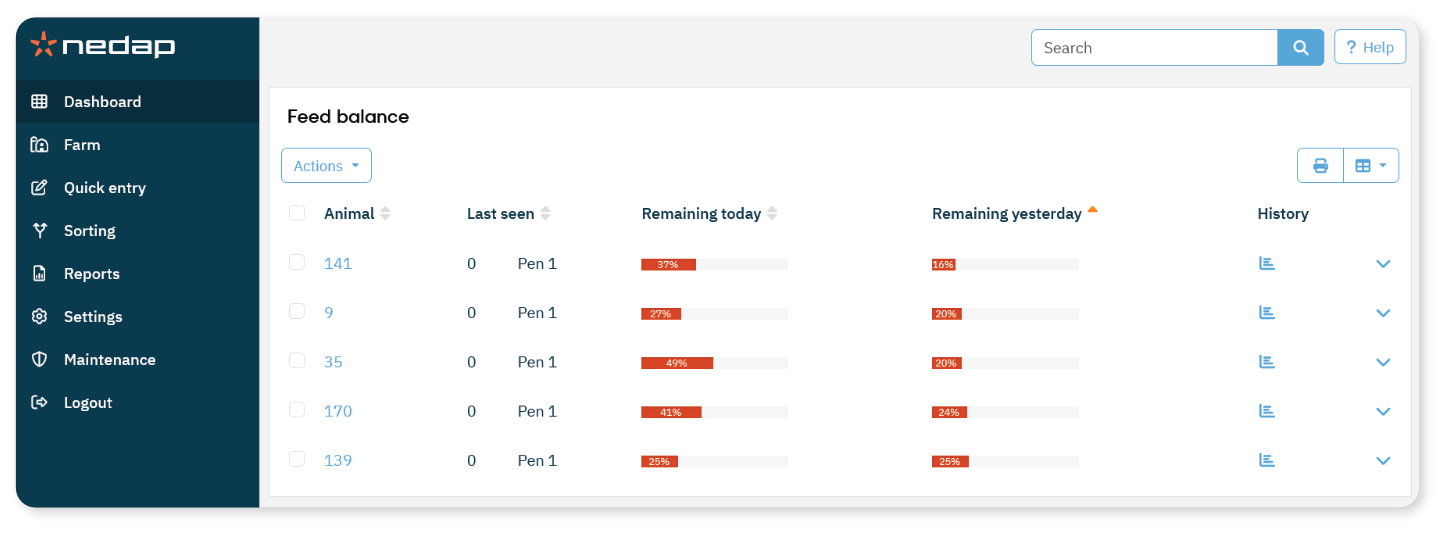
Open the Feed Balance List
On the Dashboard, select the Feed balance link in the Feeding tile.
The Feed balance list opens.
The list shows:
Today’s feed balance
Yesterday’s feed balance
Review an Animal
When an animal appears on the list:
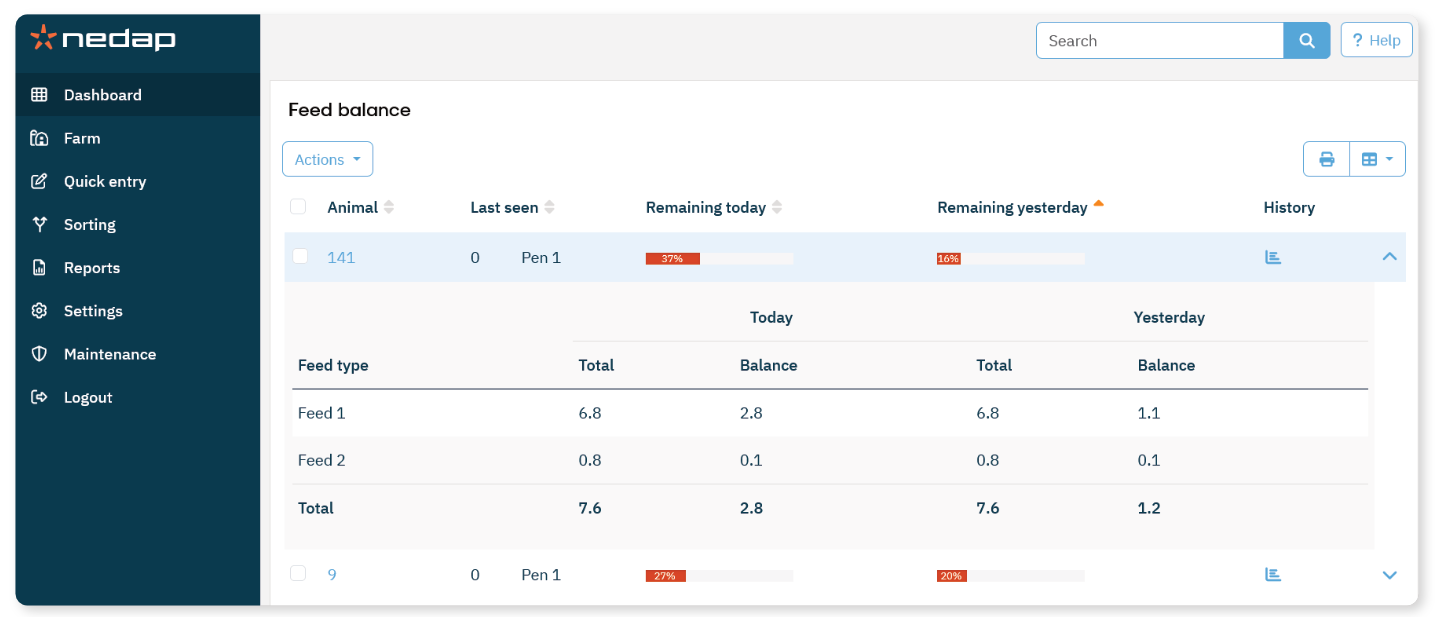
Select the  arrow icon to view feed amounts in numbers.
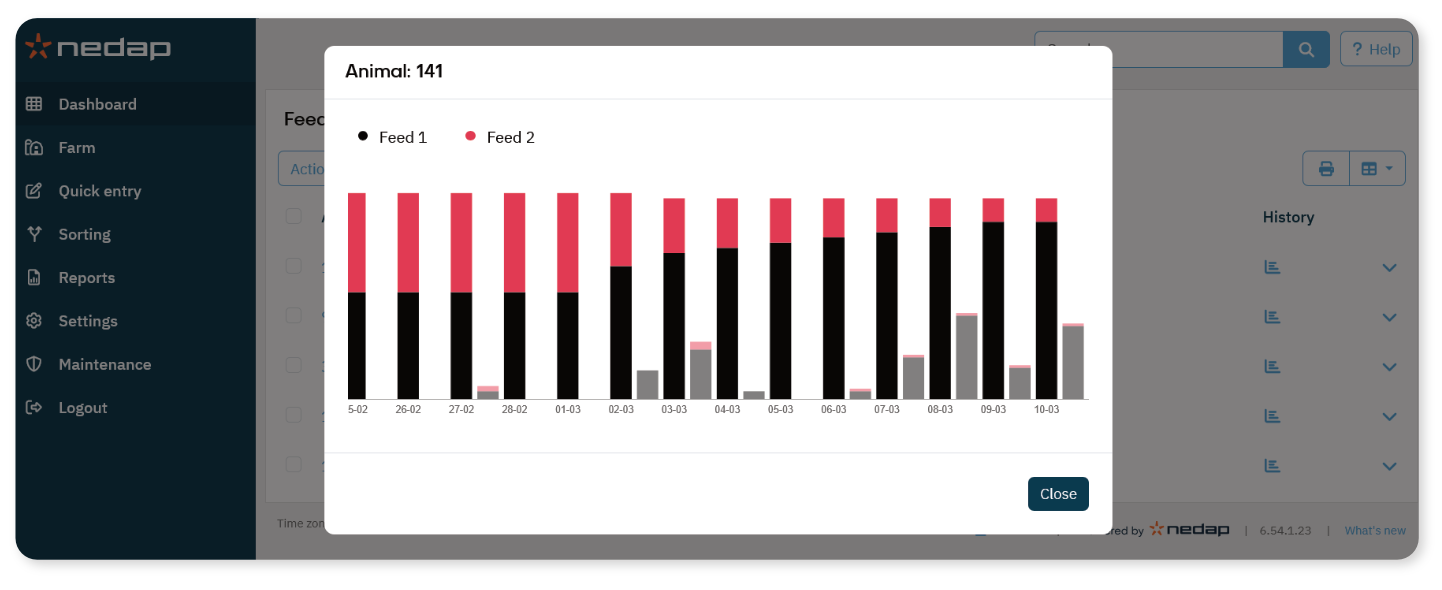
Select the  history icon to view the 2-week feeding history.
Check whether the animal has consistently not eaten its feed.
If the feed balance remains high over multiple days, check the animal in the barn.
