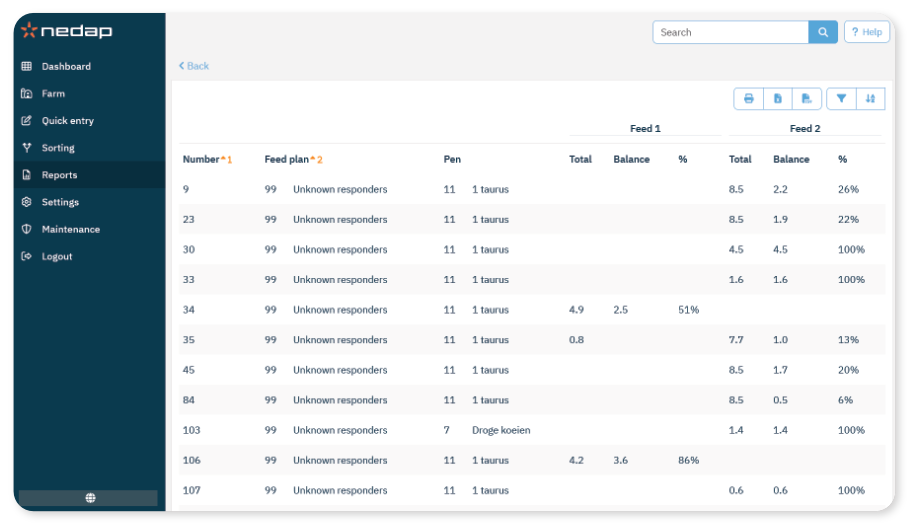
The Feed balance report lists animals that have not eaten their allocated feed based on the selected criteria.
You can generate the report for:
Attentions – Yesterday
Balance – Yesterday
Balance – Today
Use this report to monitor feed intake and identify animals that may require attention.
How to View the Report
- Select Reports in the menu.
- Under Feeding, select Feed balance.
- In the selection screen, configure the report:
Choose the type of feed balance (Attentions – Yesterday, Balance – Yesterday, or Balance – Today).
Enter the minimum feed balance in grams and/or percentage.
Select the relevant Feed type, Feed plan, and Pen (if applicable).
- Select Ok.
What the Report Shows
For each animal, the report shows:
