You can temporarily stop or restrict feeding for specific animals, feed stations, or locations.
Disable Feeding for an Animal
To stop feeding immediately for one animal:
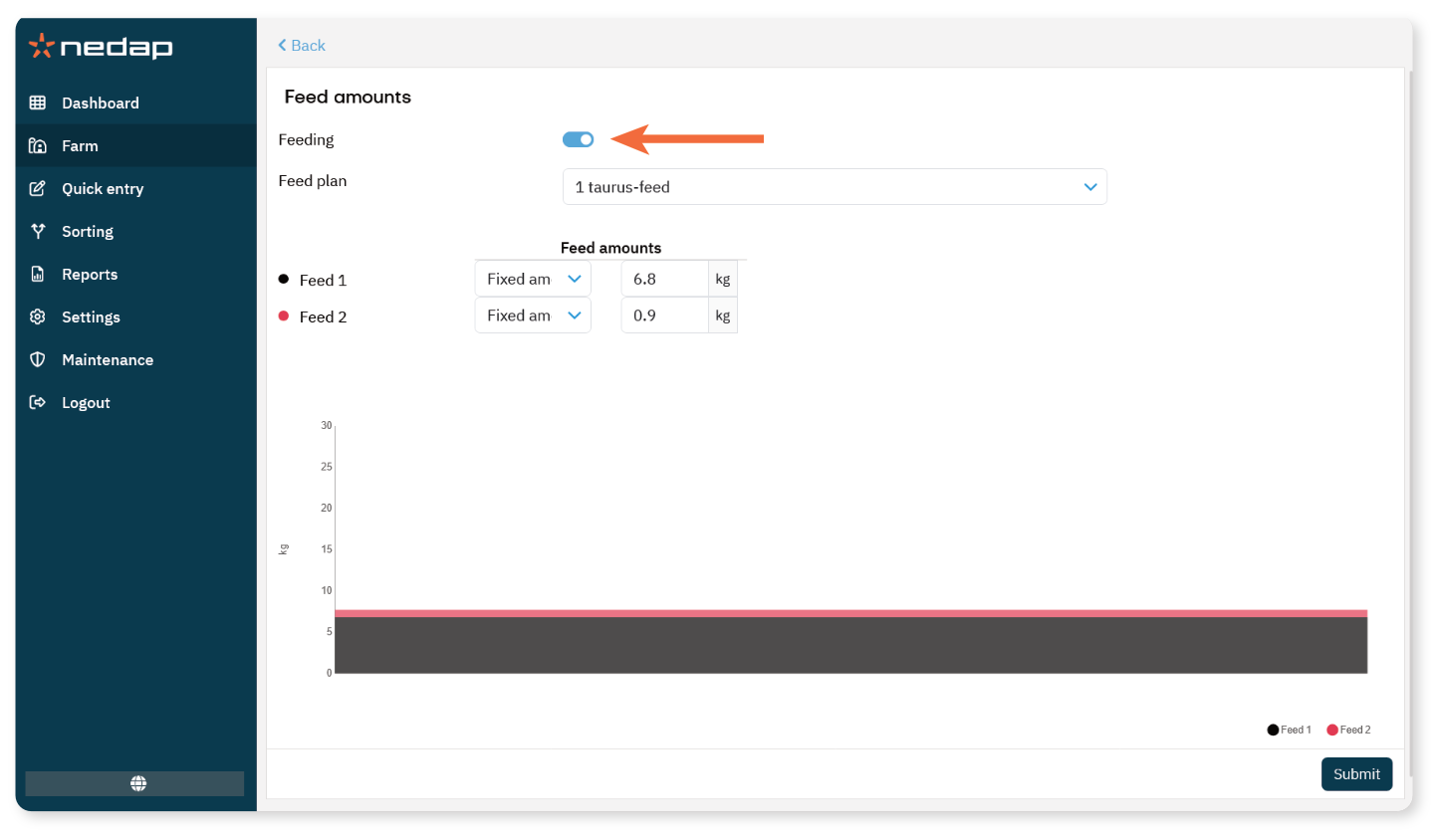
Enter the animal number in the Search field.
Open the animal page.
Select the Feeding tab.
Select Edit.
Turn off Feeding.
Select Submit.
Feeding for this animal stops immediately.
To Resume feeding:
Open the animal page again.
Select the Feeding tab.
Select Edit.
Turn on Feeding.
Select Submit.
Disable Feeding for a Feed Station
To disable feeding for a specific station:
Select Settings from the menu.
Under Feeding, select Blocking.
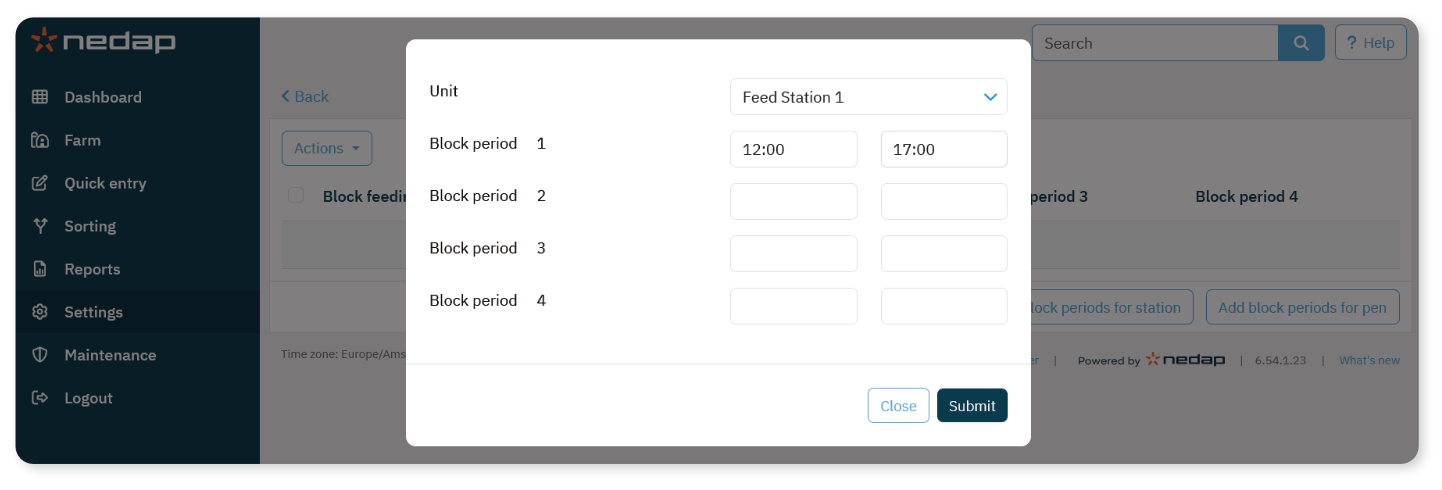
Select Add block periods for station.
Select the Unit.
Enter the start and end time.
Select Submit.
Disable Feeding for a Location
To disable feeding for all feed stations in a location:
Select Settings from the menu.
Under Feeding, select Blocking.
Select Add block periods for pen.
Select the pen.
Enter the start and end time.
Select Submit.
NoteBlocking periods prevent animals from receiving feed during the defined time window.
Use blocking carefully to avoid unintended feed shortages.
