Velos provides several feeding overviews to monitor feed amounts and feed balances.
You can view feeding data at farm, group, or individual animal level.
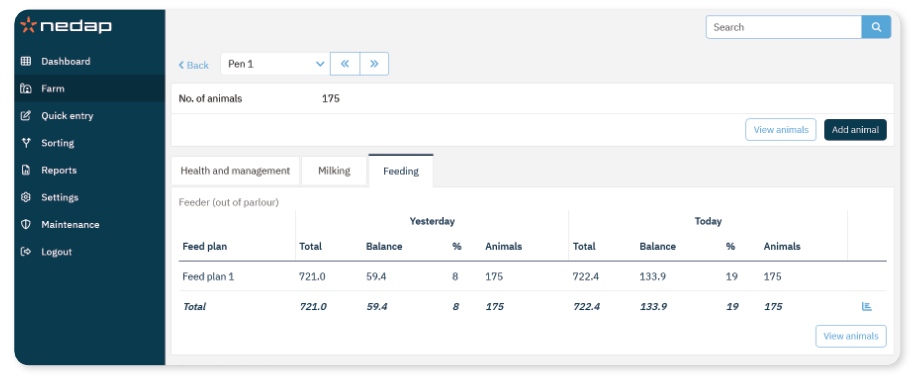
Use these overviews to:
Monitor feeding performance
Identify animals with feed balance issues
Verify feed plan implementation
What is Feed balance?
Feed balance represents the difference between the allocated feed amount and the amount actually consumed. A positive feed balance means the animal did not eat all its feed.
Individual animal Overview
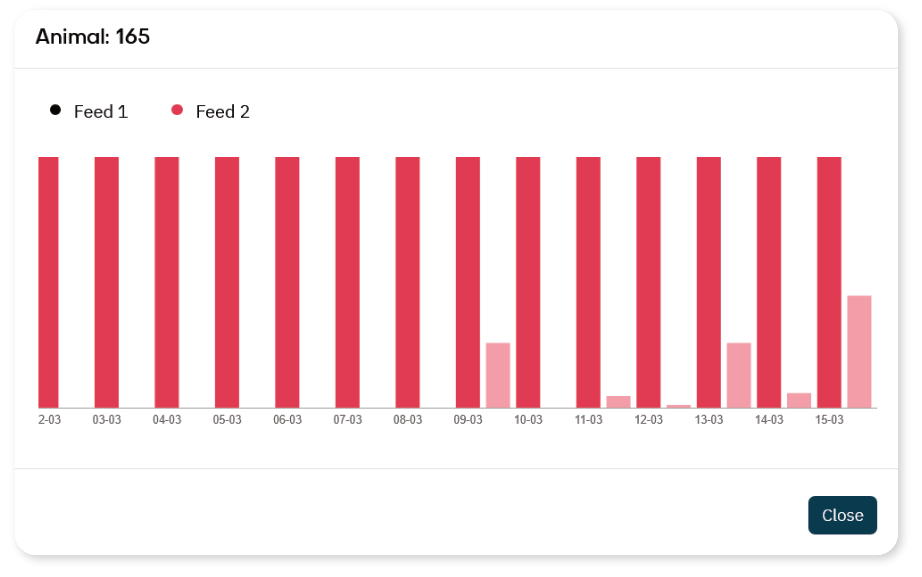
Where to Find the Feeding Overview
- Enter the animal number in the Search field.
- Open the animal page.
- Select the Feeding tab.
How to Interpret Feed Balance Data
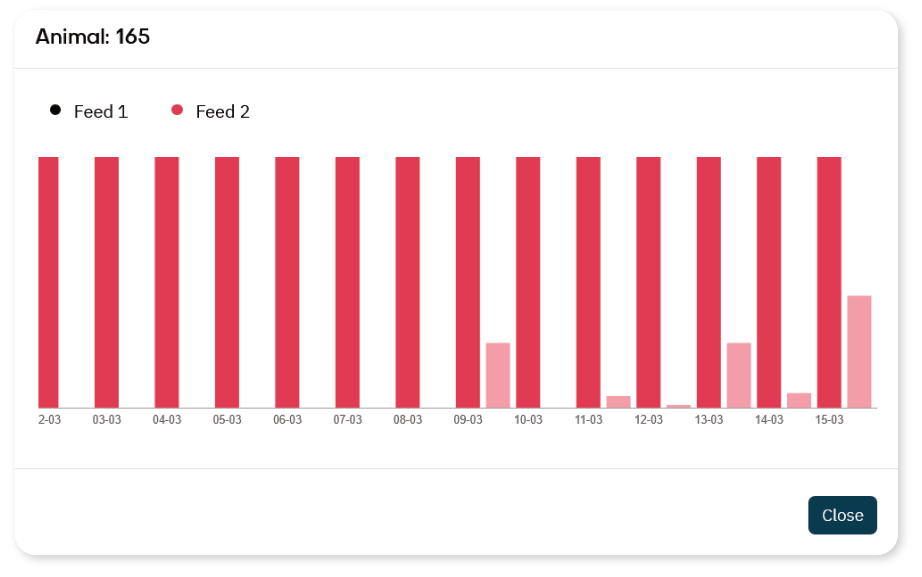
Single Day Deviation
A one-time high feed balance may be caused by:
Monitor the next day before taking action.
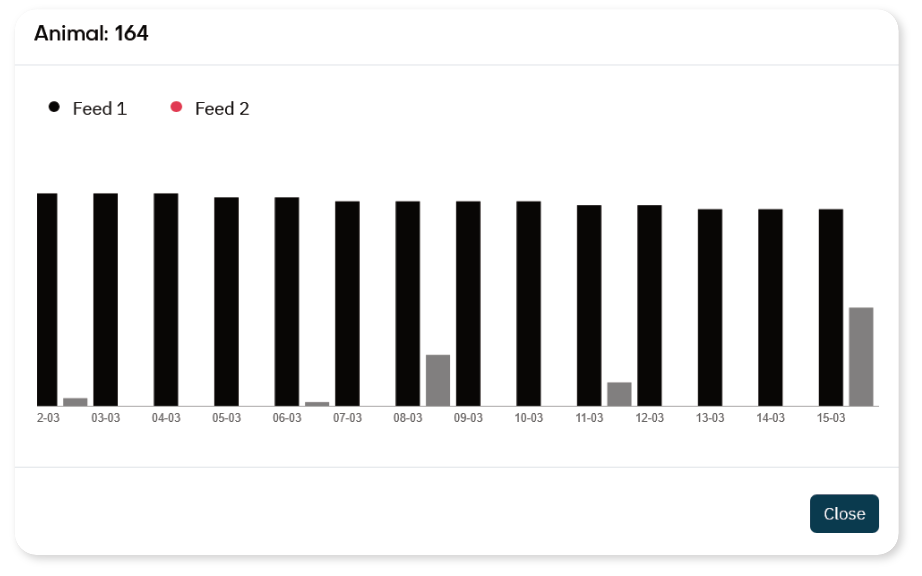
Repeated Deviation
If an animal shows a high feed balance over multiple days:
Check the animal in the barn
Review health status
Verify feed plan settings
Check feed station functionality
Persistent feed balance deviations may indicate illness or management issues.
Group or Pen Overview
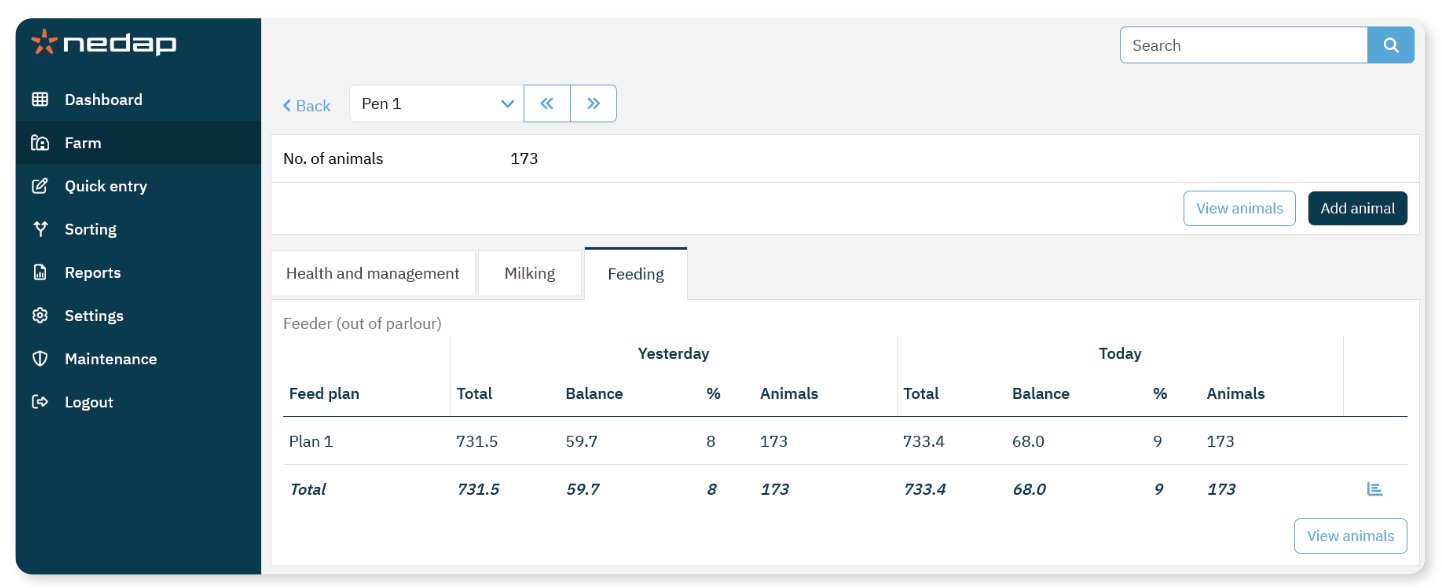 Where to Find the Feeding overview
- Select Farm from the menu.
- Select a pen from the drop-down menu.
- Select the Feeding tab.
- Select the
 graph icon to view the 2-week feeding history.
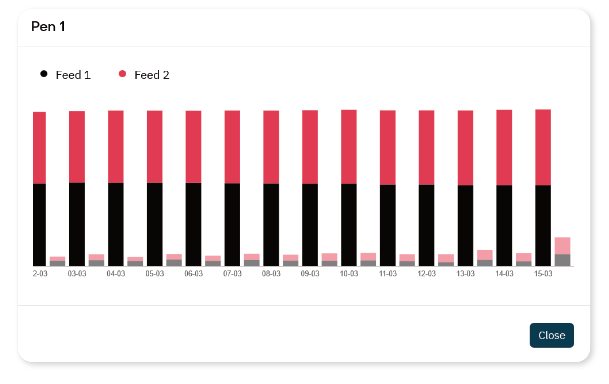
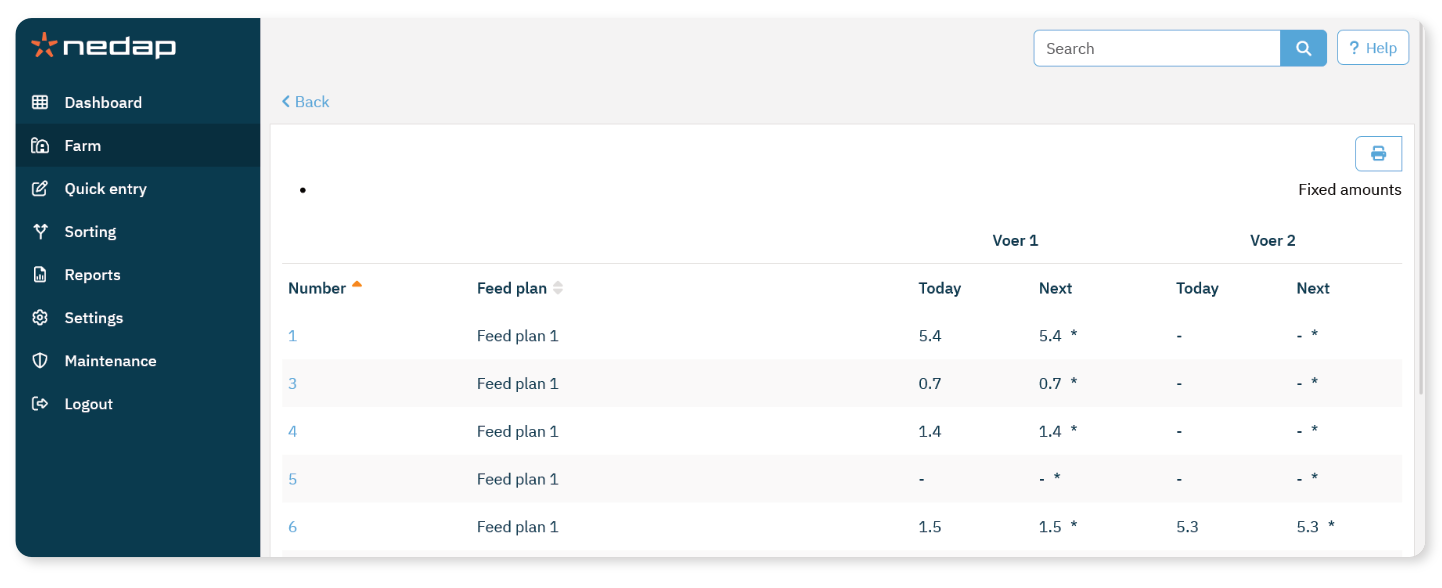
This overview shows:
Farm Overview
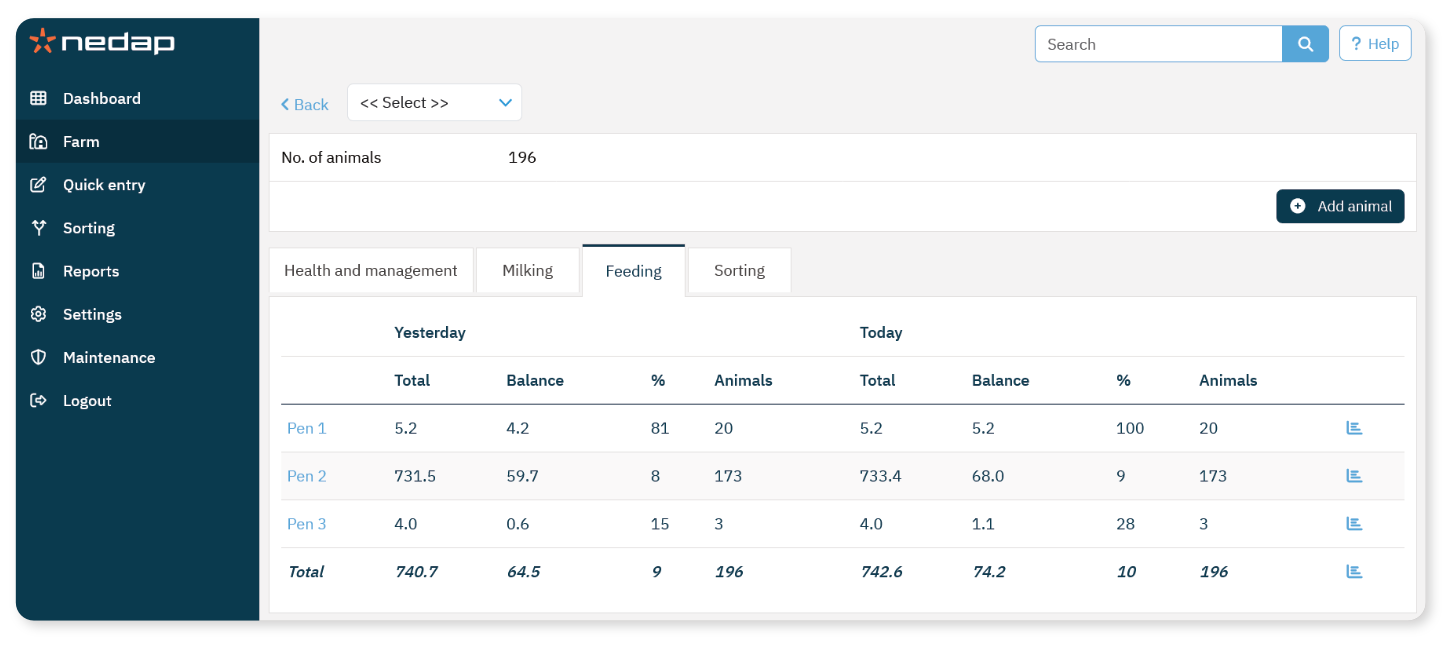
- Select Farm from the menu.
- Select the Feeding tab.
This overview shows:
Compare at Group Level
Use the Farm overview to:
Compare feed balance between groups
Identify patterns across pens
Detect feed delivery problems
Group-level deviations may indicate:
TipReview feed balance trends regularly rather than reacting only to individual attentions.
Consistent monitoring improves feeding performance and animal health.
