A feed plan defines how a group of animals is fed. Each animal must be assigned to a feed plan.
Using a Farm Management Program
If you use a Farm Management Program (FMP), the feed amounts are defined there. The FMP is leading for feed amounts.
Using Only Velos
If you do not use a Farm Management Program, you must create and configure feed plans in Velos. Before creating a feed plan, make sure Feed types and silos are added.
Select Settings from the menu.
Under Feeding, select Feed plans.
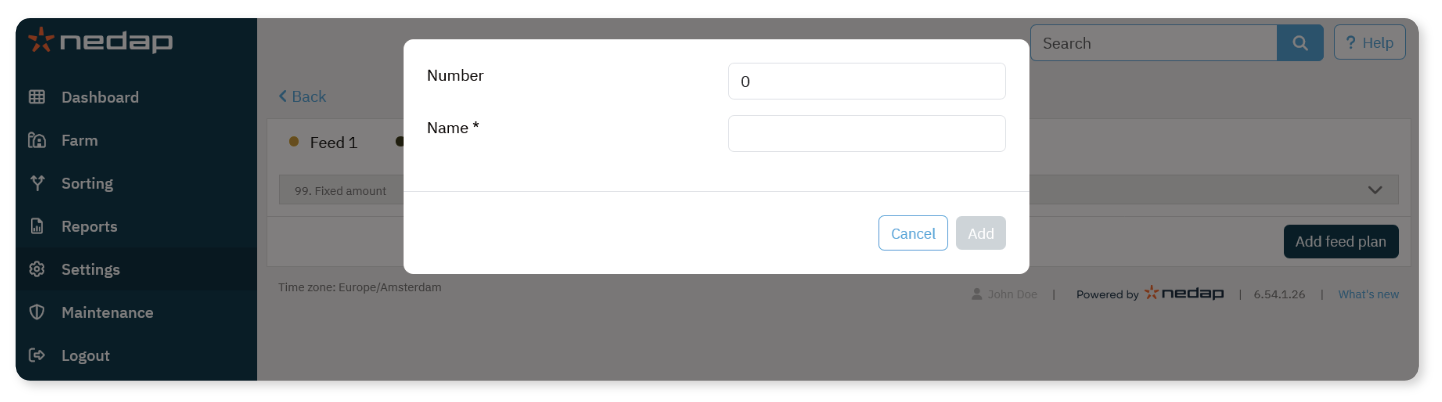
Select Add feed plan.
Enter the following:
Select Add.
After creating the feed plan, continue with defining feed amounts.
NoteChanges in feed plans or feed amounts take effect after the next feed start.
