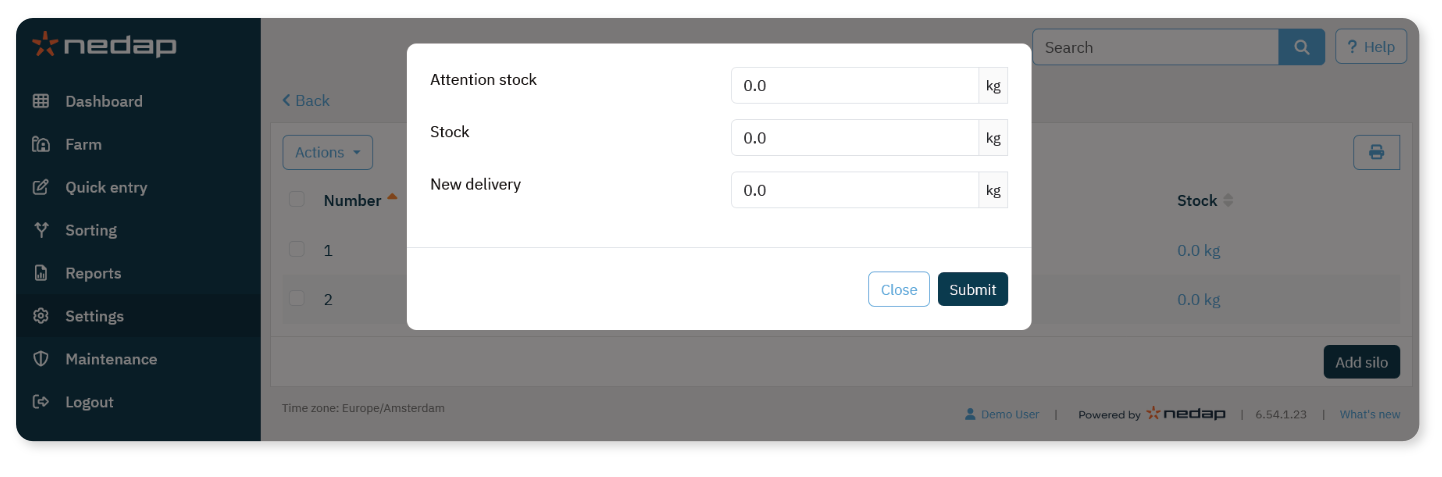
The first step to set up feeding is to enter the feeding types and silos used by the feeders.
Each feed type must be linked to a silo.
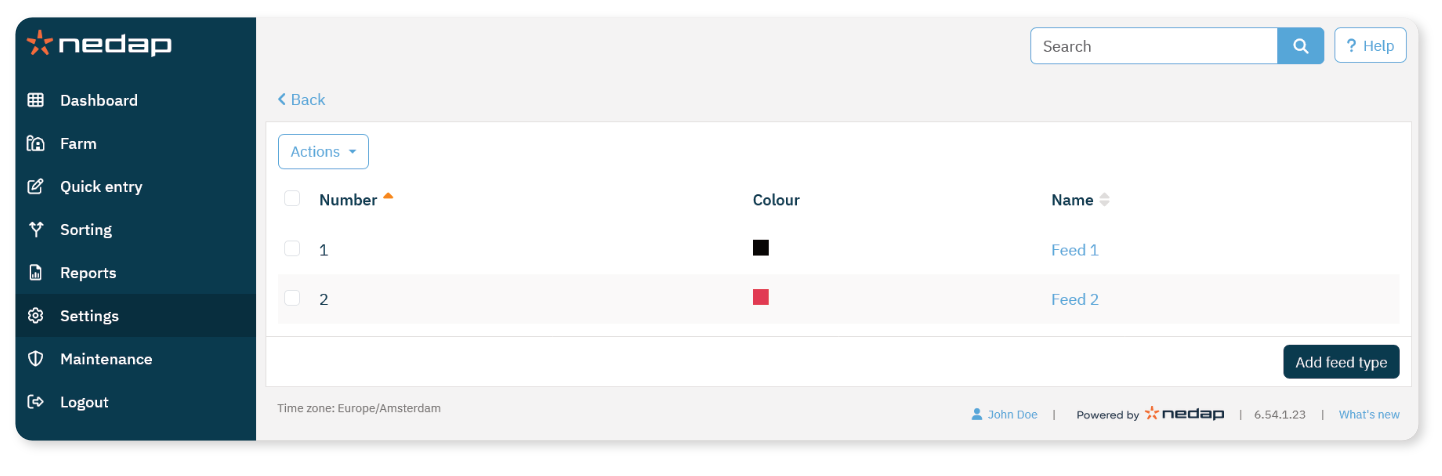
Add Feed Types
By default, one feed type is already available.
If you use additional feed types:
Select Settings from the menu.
Under Feeding, select Feed types.
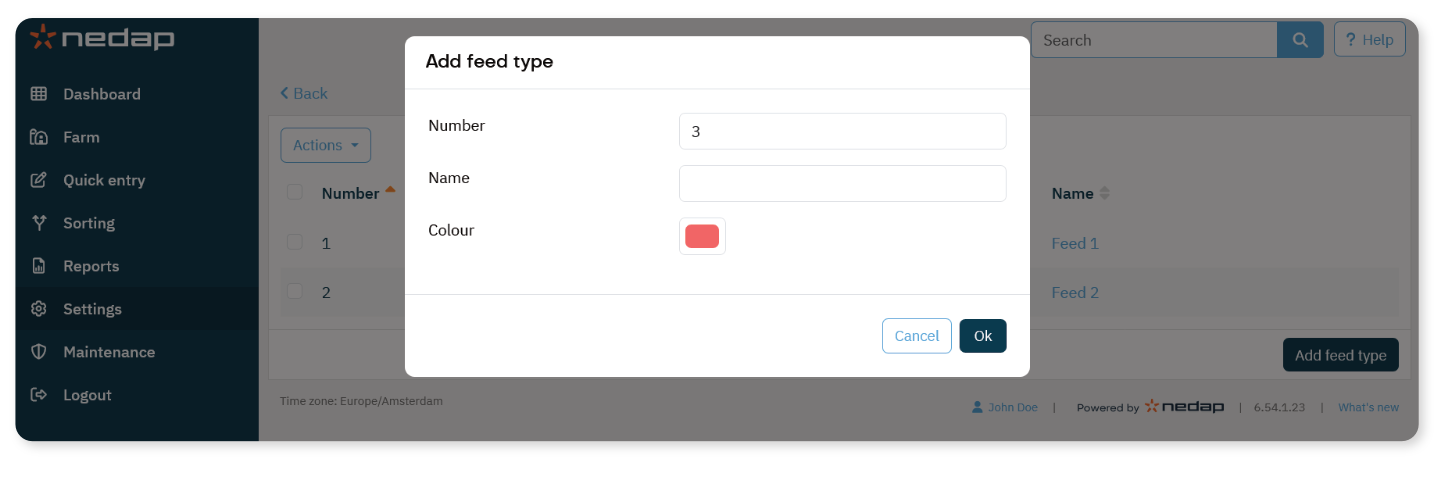
Select Add feed type.
Enter the following:
Number: Unique number for the feed type
Name: Name of the feed type
Color: Color used in feed curve displays
Select Ok.
If you use a Farm Management Program, make sure the number of feed types in Velos matches the number in your FMP.
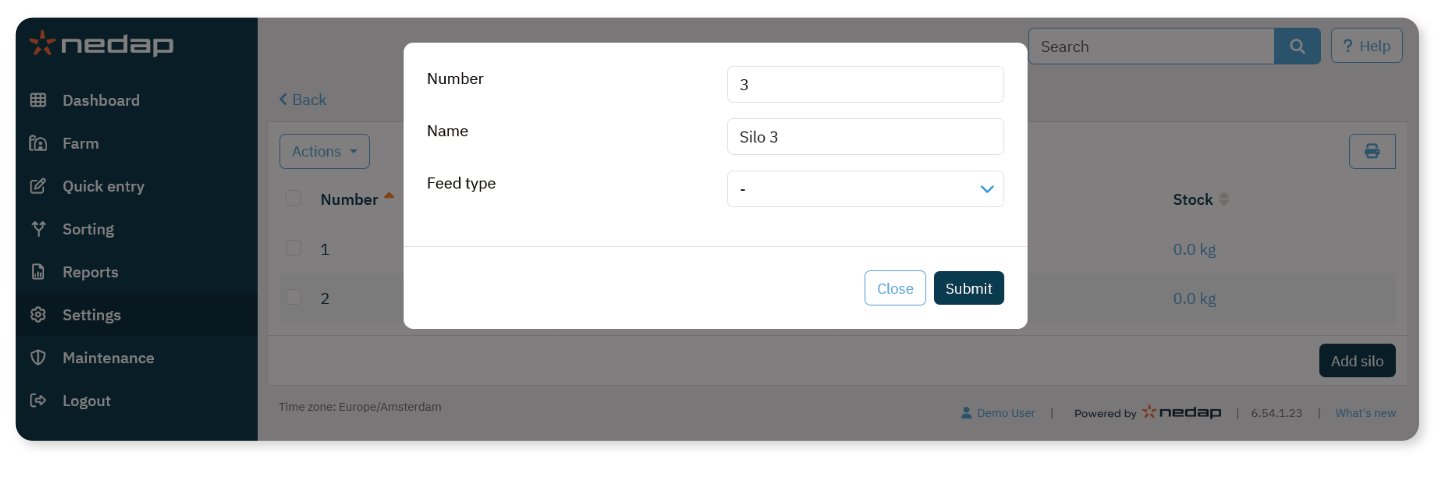
Add Silos
By default, one silo is already available.
If you use additional silos:
Select Settings from the menu.
Under Feeding, select Silos.
Select Add silo.
Enter the following:
Select Submit.
Optional: Monitor Silo Stock
If desired, you can monitor silo stock levels.
In the Stock column, select the current stock value.
Enter the following:
Attention stock: Level at which a stock attention is generated
Stock: Automatically calculated stock value. Total stock amount (can be adjusted manually)
New delivery: Enter delivery amount; Velos updates the total automatically.
Select Submit.