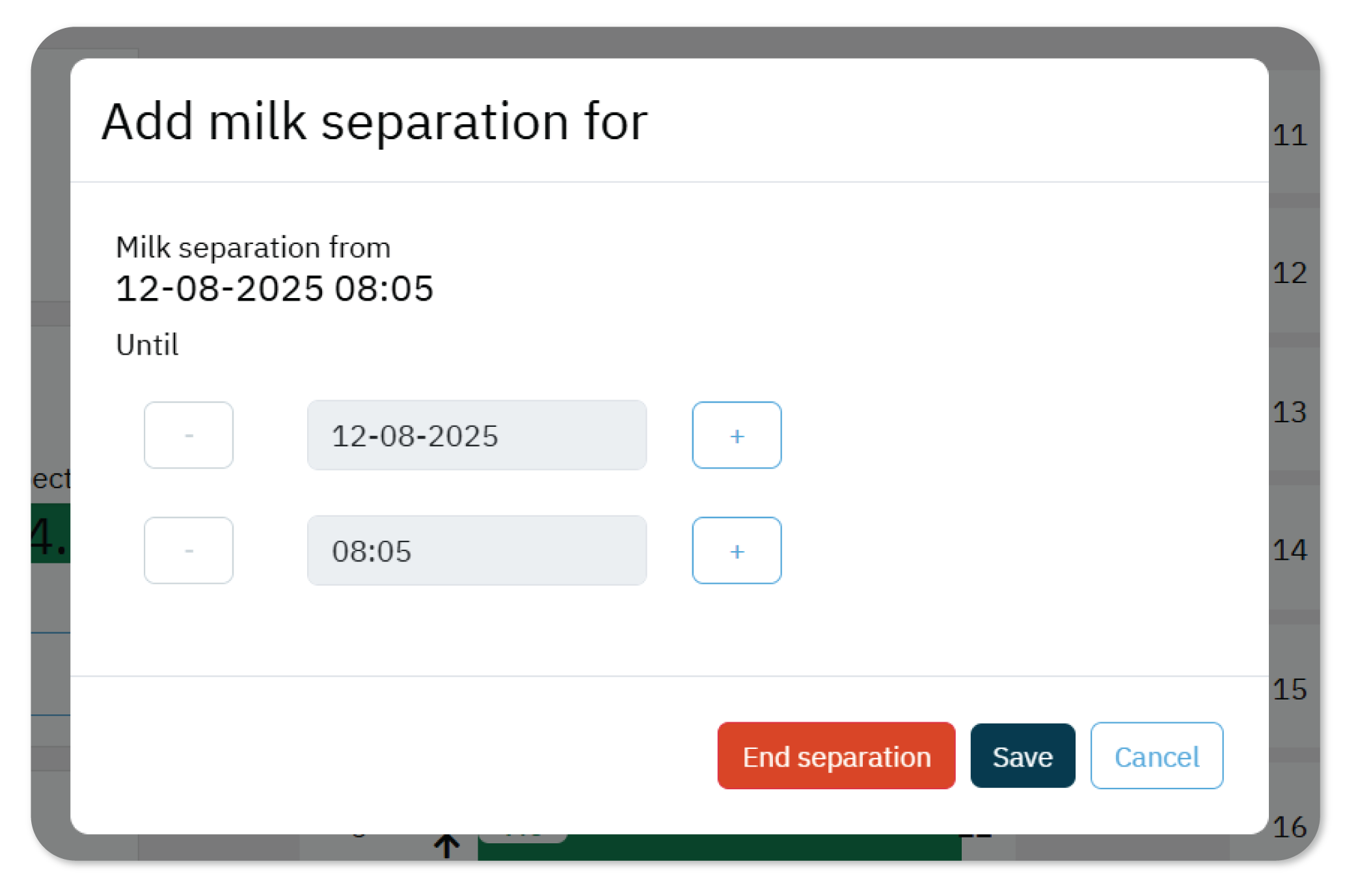
To automatically trigger a Milk separation attention during milking sessions, you must define a separation period for the animal. This ensures that the milking process pauses when the animal enters the parlor, allowing you to redirect the milk hoses before continuing.
You set up a milk separation period in two ways:
- From the animal's page.
- On the parlor monitor, during a milking session.
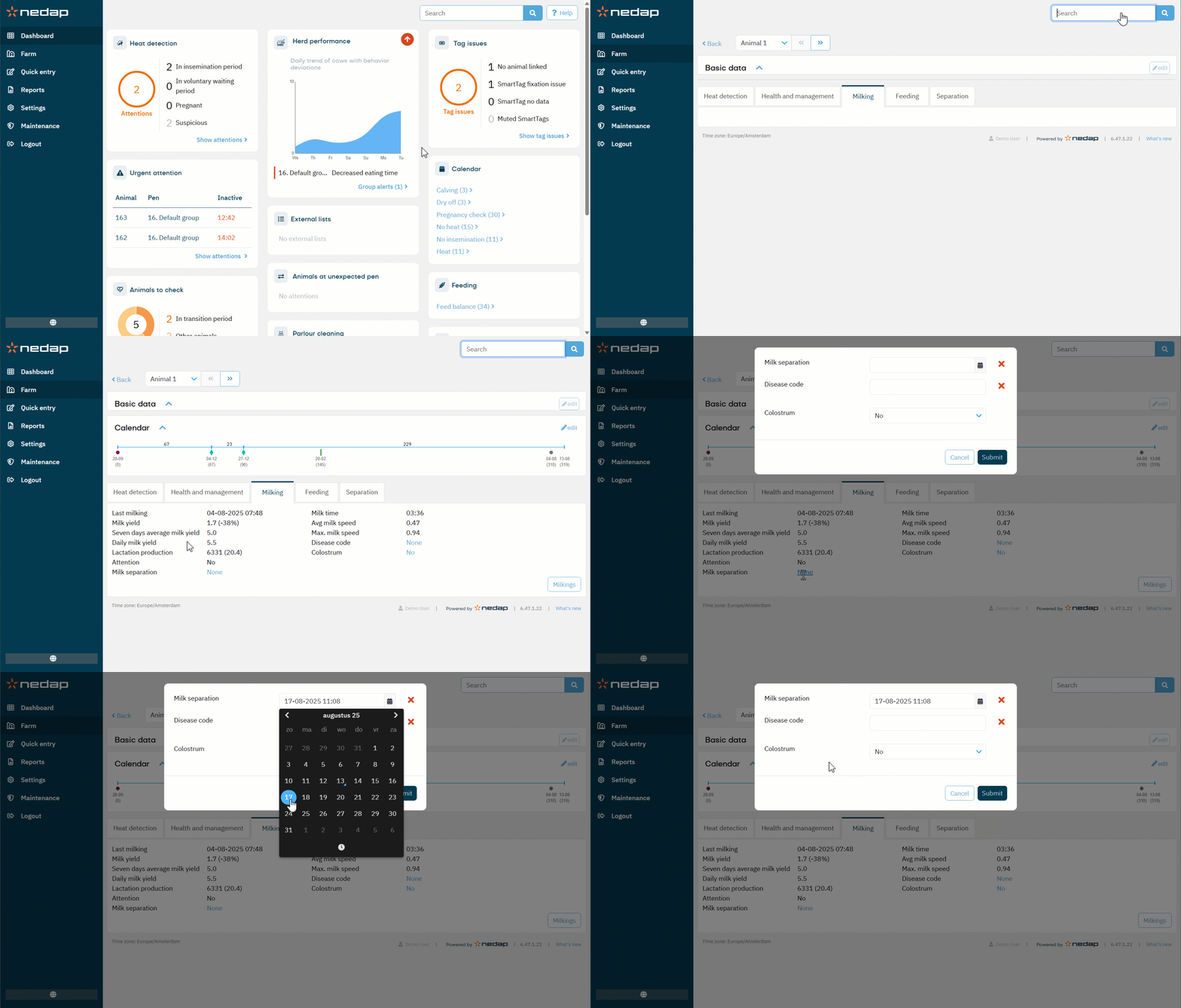
Set Up Milk Separation from the Animal's Page
- Enter the animal number in the search bar.
- On the animal's page, select Milking.
- Next to Milk separation, select None. A new window opens.
- Enter the date until which the milk must be separated
- (Optional) Enter the disease code.
- Select Submit.
Set Up Milk Separation on the Parlor Monitor
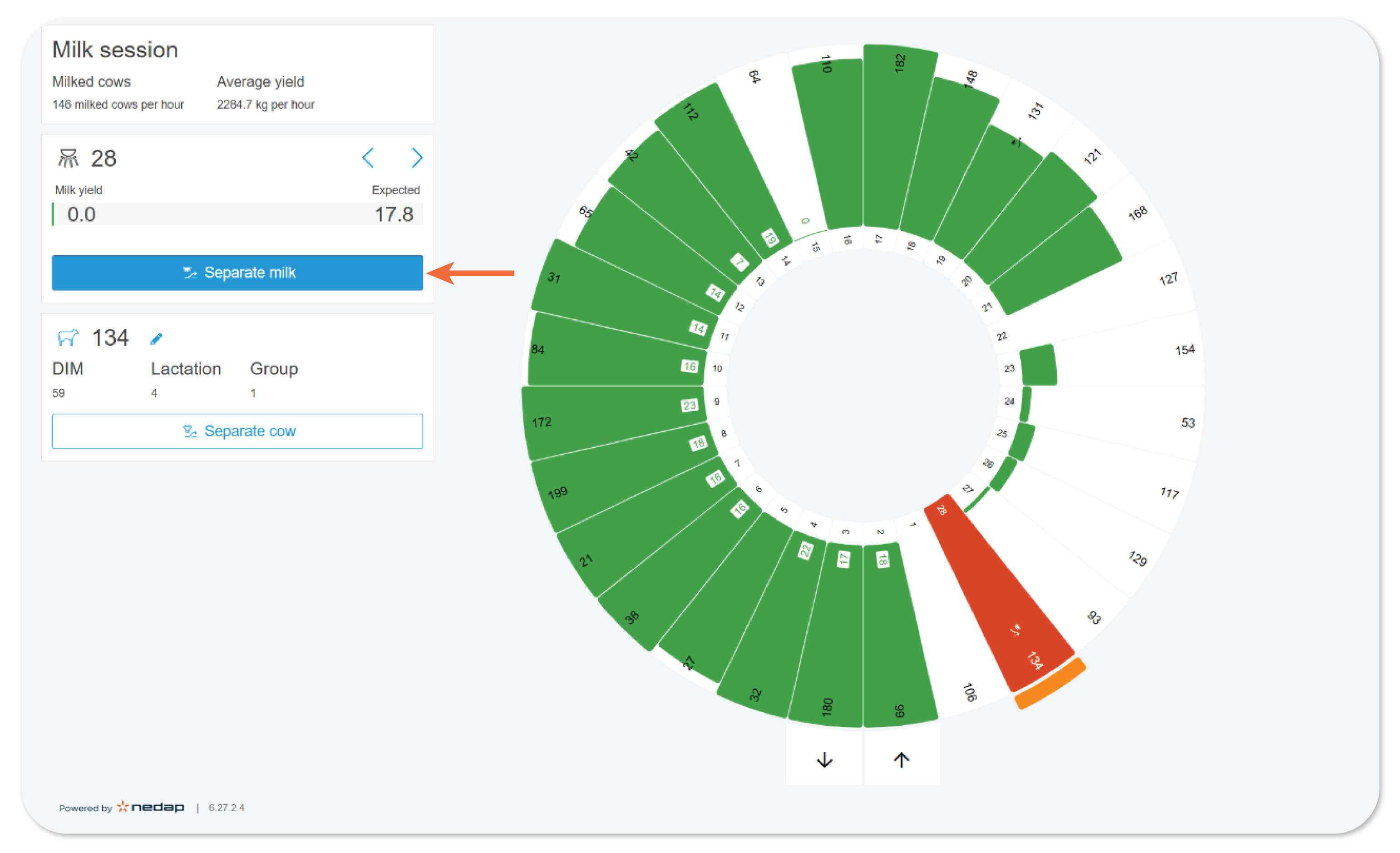
- On the parlor monitor, select the animal's milking point.
- Select Separate milk. A new window opens.
- Enter the date and time until the milk must be separated.
- Select Save.