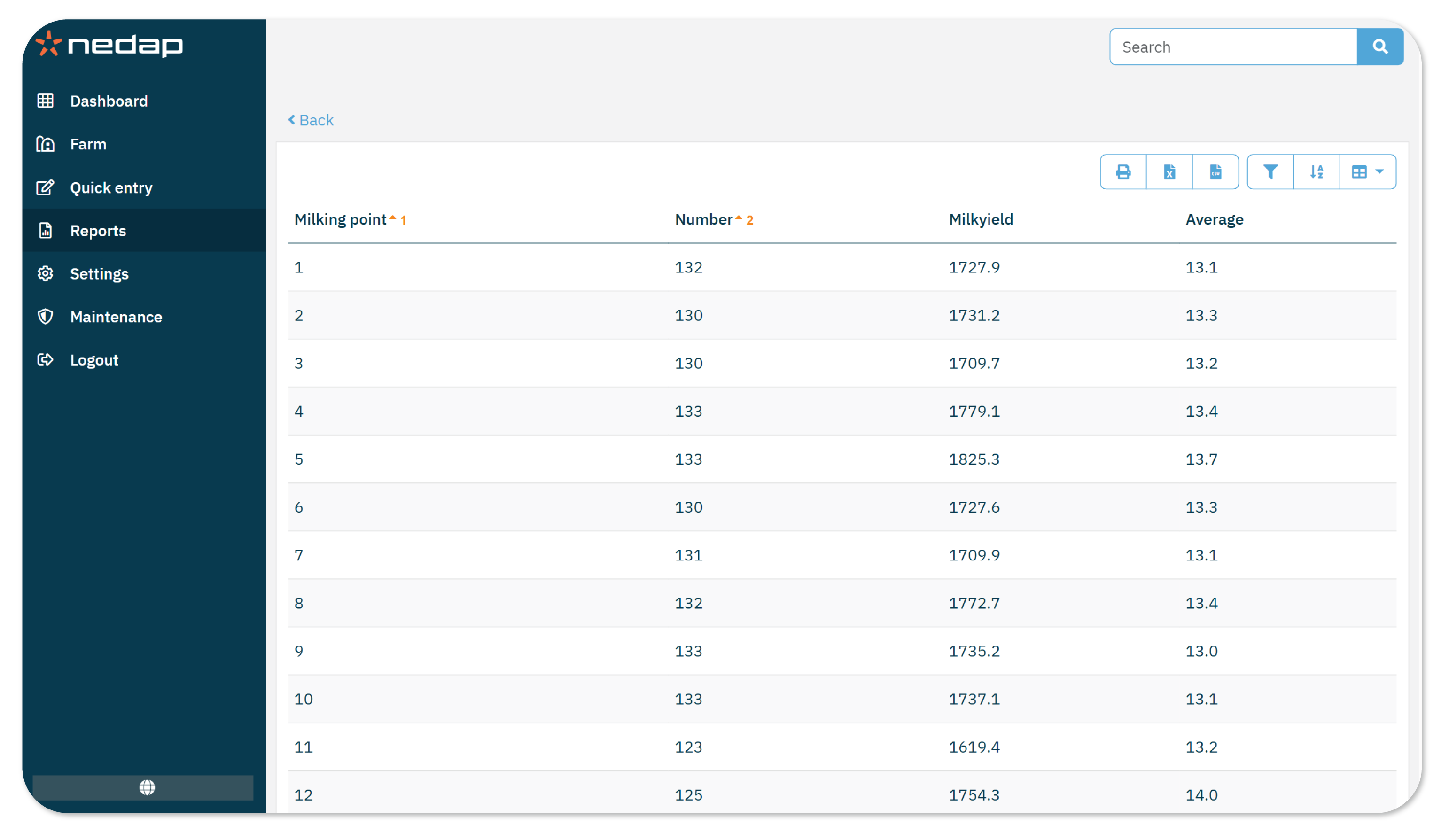
The Milk meter statistics report shows milk meter performance over a selected period. Use this report to identify issues with individual meters and review milking activity at each point.
The reports includes the following data:
- Milking point
- Number: The nr. of times the meter has milked during the selected period.
- Milkyield: The total milkyield of the milking point during the selected period.
- Average milk yield per milking
How to Use this Report
Use this report to check if your milk meters are performing correctly or when troubleshooting issues.
To view the report:
- Go to Reports.
- Under Milking, select Milk meter statistics.
- Select the period you want to view.
- Select a first session to set the start of the period.
- Select a later session to set the end of the period.
TipThe number next to the date is the session number. For example, 18-08 (1) is the first session of the day and 18-08 (2) is the second session. Check your Milking times settings to see how your sessions are set up.
- Select Ok.
- Review the list. You can sort and filter the data as needed.
- (Optional) Print the report or export it as a CSV, Excel or PDF file.
