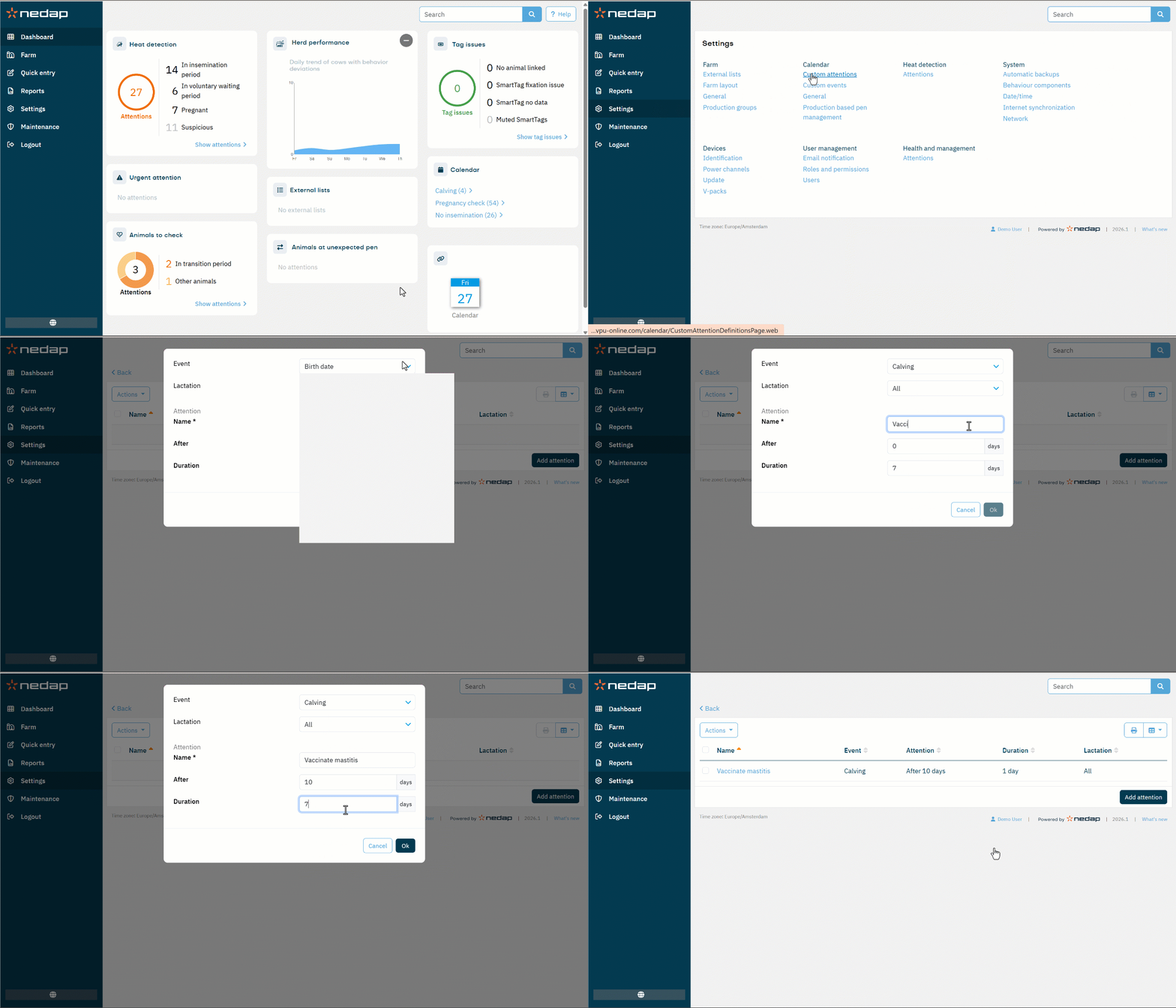
Velos allows you to personalize your system by creating custom events and attentions that differ from the standard general events. These custom events and attentions can be fully tailored to the farm’s specific management routines.
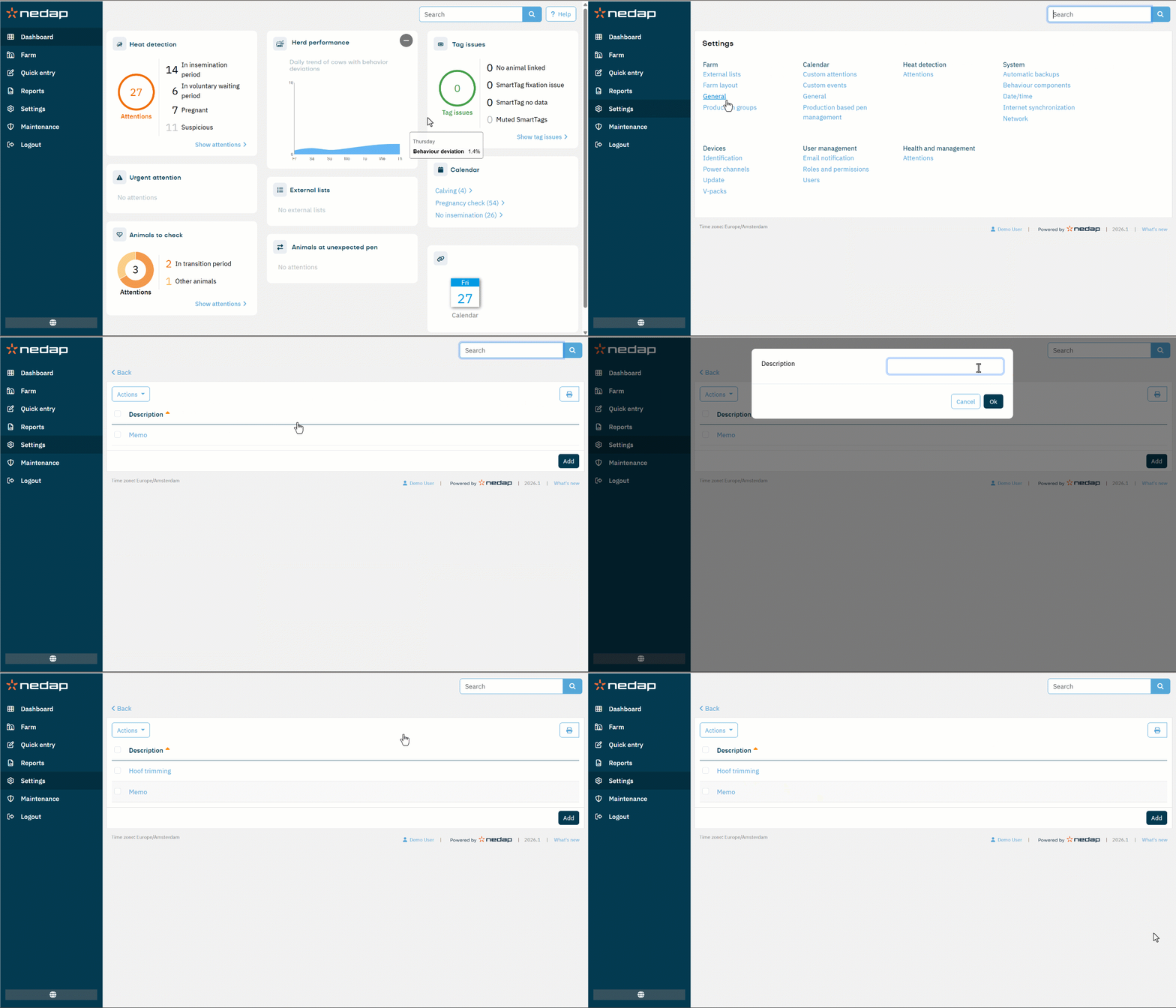
Add Custom Events
- Go to the Settings page.
- Under Calendar, select Custom events.
- Select Add in the lower right corner.
- Enter a name for the event.
- Select Ok to confirm.
You can change the name of an existing custom event by selecting it from the list. The event name will be updated in the animal's timeline as well.
Add Custom Attentions
- Go to the Settings page.
- Under Calendar, select Custom attention.
- Select Add attention in the lower right corner.
- Choose the Event to which the attention is related.
- Define the Lactation number to which this attention applies.
- Enter a custom Name for the event.
- Enter the number of days After the event when the attention should appear.
- Set the Duration of the attention.
- Select Ok to confirm.
You can modify an existing custom attention by selecting it from the list.