A feed start recalculates and distributes the daily feed amount.
Normally, feed start runs automatically at the configured time. You can also perform a manual feed start if immediate changes are required.
When to Use a Manual Feed Start
Use a manual feed start when:
Feed amounts have been adjusted and must take effect immediately
Feed plans have been changed
Corrections have been applied
Manual Feed Start for All Animals
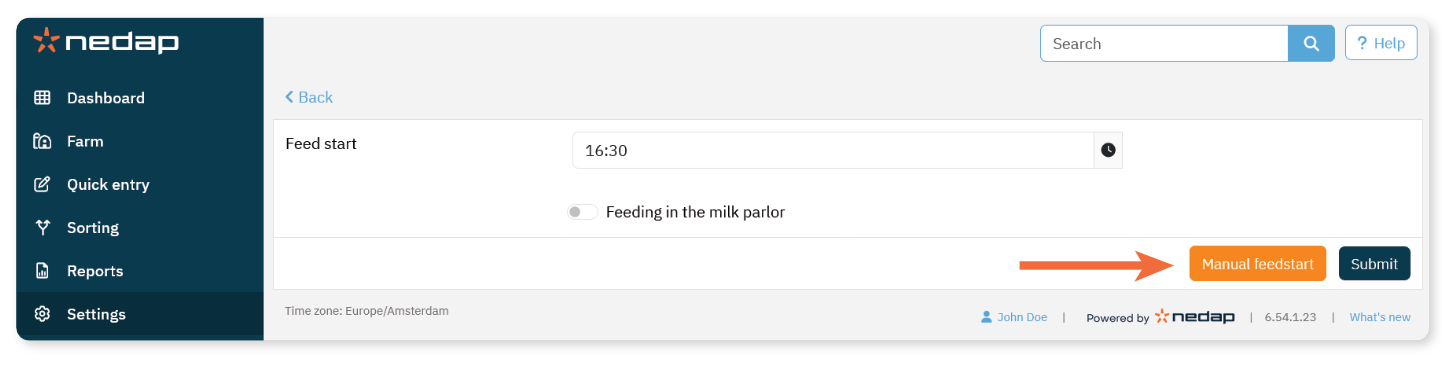
Select Settings from the menu.
Under Feeding, select Feed settings.
Select Manual feed start.
The new feed amounts become active immediately.
Manual Feed Start for Selected Animals or Groups
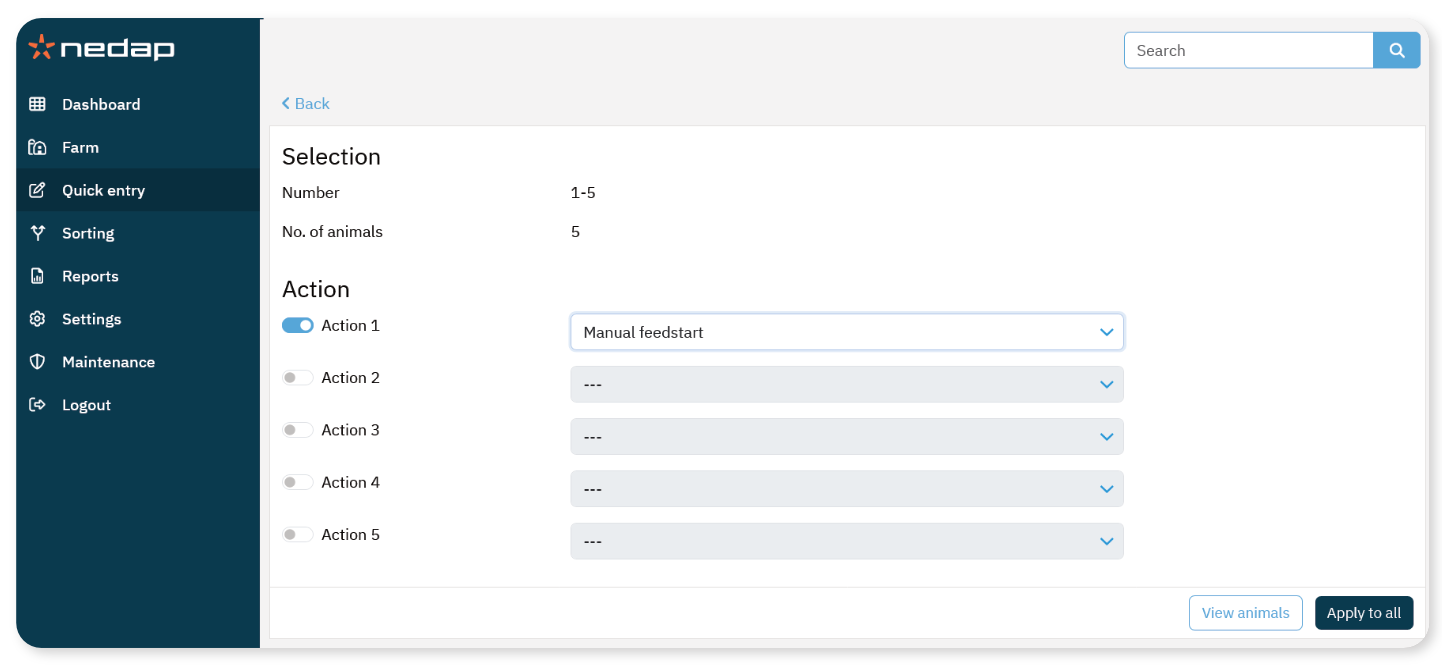
Select Quick entry.
Define your selection (animal numbers, group, or other criteria).
Select Next.
Review the selected animals.
Enable an Action.
Under Feeding, select Manual feedstart.
Select Apply to all.
Only the selected animals receive the new feed calculation.
NoteA manual feed start does not take feed plan limits into account.
Use manual feed start carefully to prevent animals from receiving too much or too little feed.
