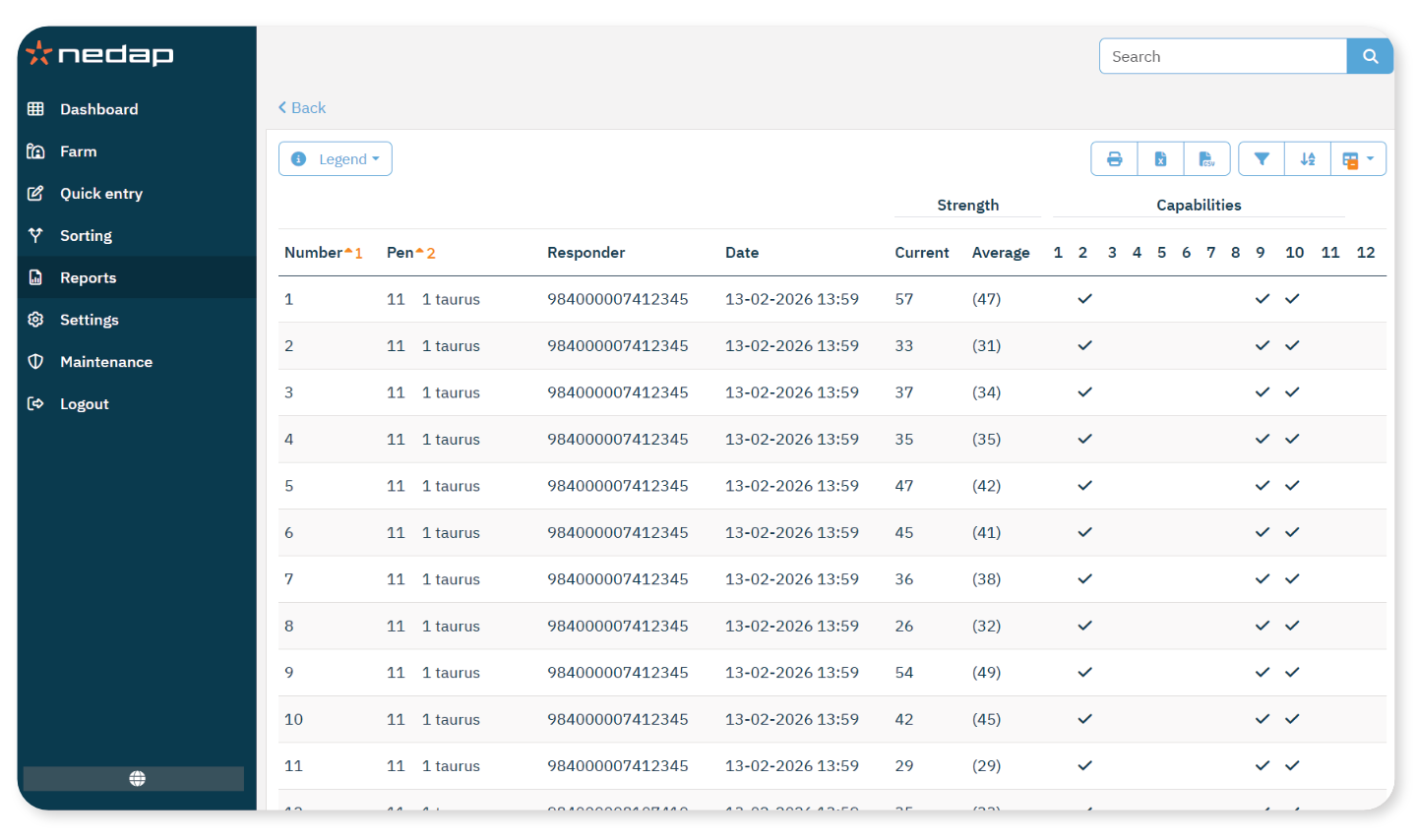
Create a report with detailed SmartTag information. Use this report when troubleshooting tag issues.
What the report shows
The report includes:
Animal number
Last detection time: When the tag was last detected
Tag capabilities: Functions supported by the tag
Signal strength: Strength of the tag signal
This information helps you identify connection issues or malfunctioning tags.
Generate the Report
- Select Reports from the menu.
- Under Farm, select Tag statistics.
- Define which animals to include:
- Select a Pen.
- Use the two drop-down lists to define a range.
- To include a single pen, select the same option in both drop-down lists.
NoteIf you select different pens in the two drop-down lists, the report includes all pens between them.
- Select Submit.
TipYou can export the report as pdf, excel and csv.