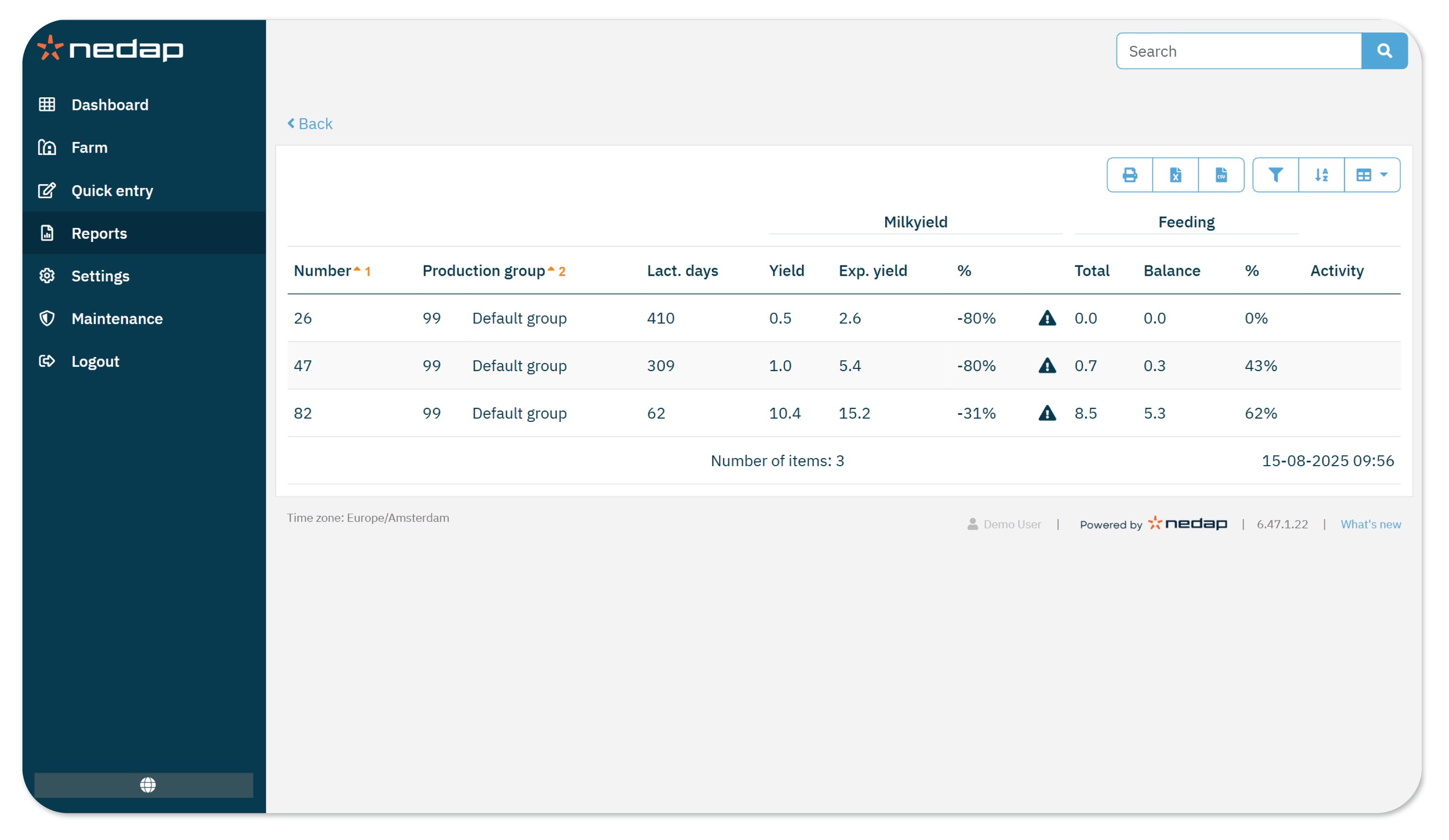
The Milk attentions report shows all animals with a Milk production too low attention in the most recent milking session. It also includes related health and heat data. Use this report as a worklist to check animals for abnormalities and decide what actions you may need to take.
The reports includes the following data:
- Milk yield
- Feeding
- Activity: Shows heat attentions.
- Conductivity: Shown only if supported by your milk meter.
How to Use this Report
Because the Milk attentions report shows the attentions of the last milking session, it is recommended to check this report after each milking session to identify any abnormalities and define further actions.
To view the report:
- Go to Reports in the menu.
- Under Milking, select Milk attentions.
- Select the Production group you want to view, then select Ok.
- Review the list for abnormalities and any actions you may need to take.
- You can sort and filter the data as needed.
- Check the milk yield, possible feeding data, possible heat attentions, and, if available, conductivity data to determine further actions.
- (Optional) Print the report or export it as a CSV, Excel or PDF file.
When Does an Animal Appear on the Report?
An animal appears in the report if she had a milking attention during the last milking session.
NoteYou can adjust the criteria for this report in Milking Settings.
