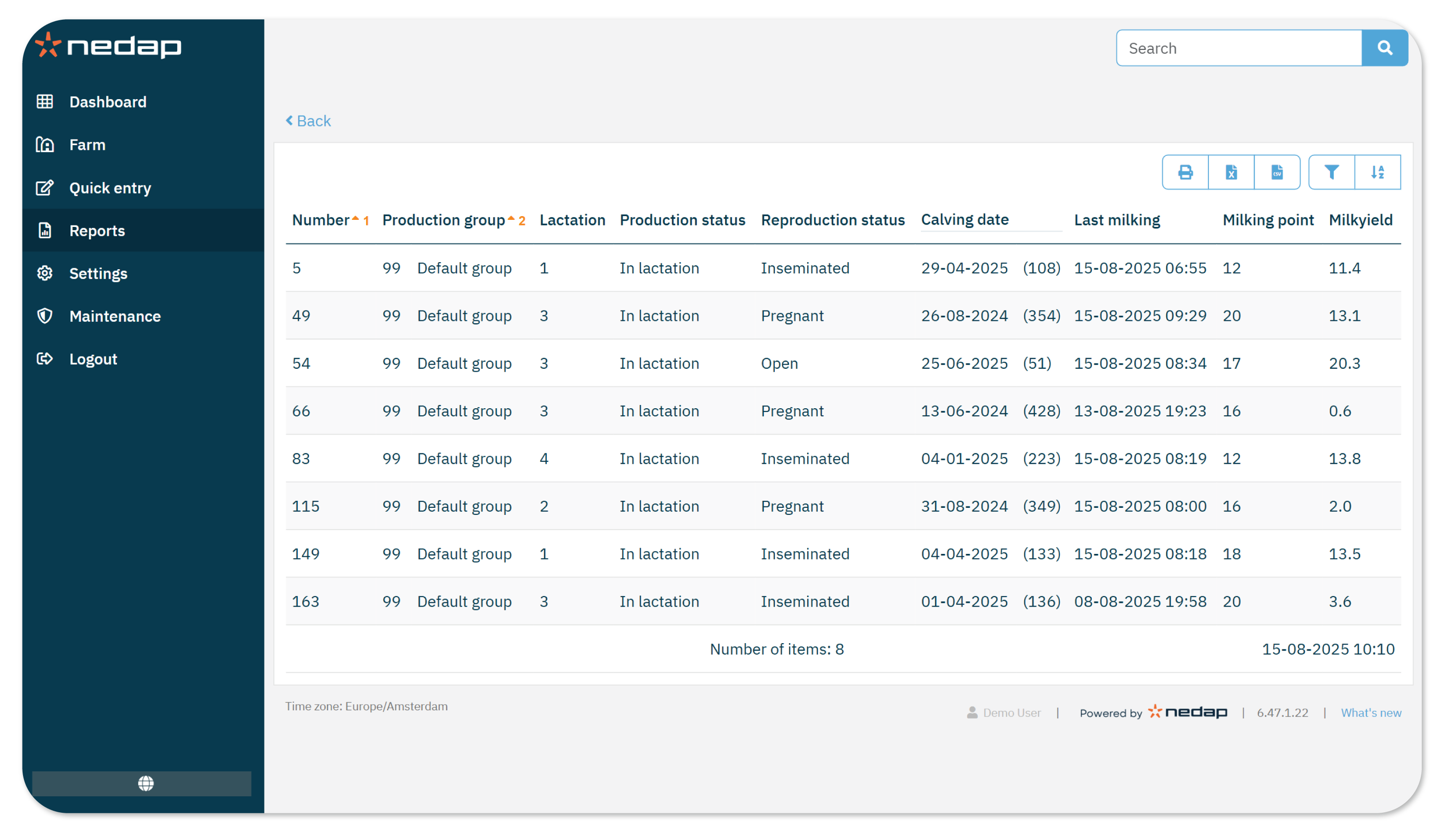
The Cows not milked report lists cows that were expected to be milked in a session but have no recorded result.
The report is available for the last milking session (current) and all sessions of the past week (historical).
When to Use this Report
To get most out of these reports, you can view the reports on a regular basis.
- After each milking: Review the Current Session report to check for missed cows.
- During routine checks: Review the Historical Sessions report to verify if listed cows were correctly excluded or require attention.
How to View the Report
- Select Reports in the menu.
- Under Milking, select Cows not milked - Current session or Historical sessions.
- Select the Production group and Lactation you want to view, then select Ok.
- Review the list to confirm that the animals shown are as expected.
- You can sort and filter the data as needed.
- Check the animal Number, Reproduction status, and Last milking to decide whether it makes sense that the animal was not milked.
- (Optional) Print the report or export it as a CSV, Excel or PDF file.
When Does an Animal Appear in the Report?
An animal appears in the report if:
- Her production state is In lactation.
- Milk separation is not active.
- There is no milk result for that session.
