View animals that were sorted the past two days in the Sorted animals tab. You can access the list of sorted animals via the Dashboard and the Sorting page.
TipUse this list as a worklist. View which animals were sorted and why, complete the required actions for the animal and remove them from the list via Actions > Remove. This helps you keep the list focused on animals that still need attention.
If you do not remove animals yourself, the system removes animals after two days. After that, the system automatically moves them to History to keep the list clear and manageable.
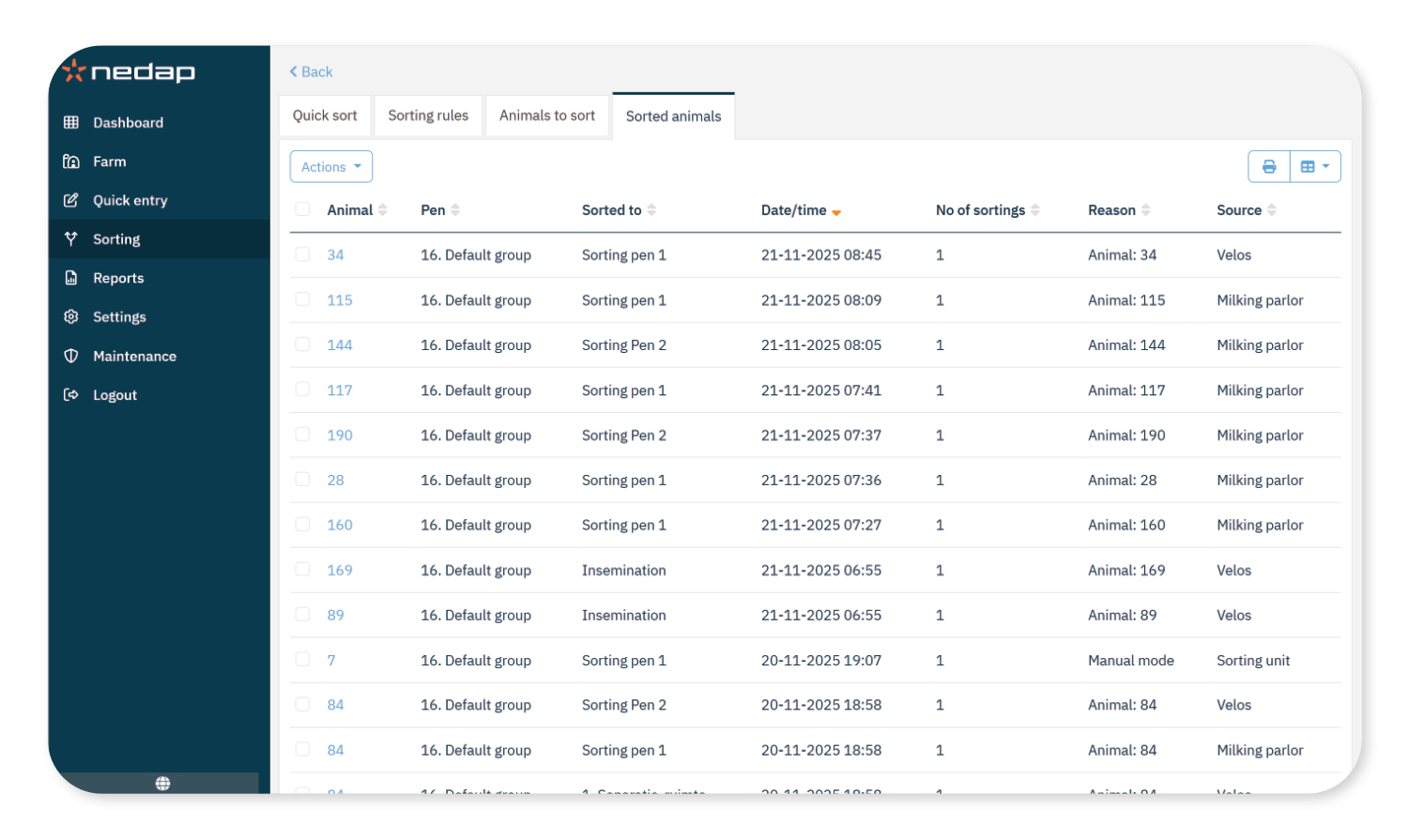
Access the Sorted Animals Tab
Via Dashboard:
- Go to Dashboard and select Sorted animals in the sorting tile.
Via Sorting page:
- Select Sorting in the menu.
- Select the Sorted animals tab.
View History
To view animals that were sorted in the past 60 days, select Show history in the bottom right corner. Animals move to this history view when they are manually removed from the list, or automatically after two days.
