If your system includes Cow Locating, you can easily see where animals are in the barn using View on map. This feature is available for both mobile and desktop.
How to Use View on Map
- Select Actions in the animal's row, or select all animals you want to check and select Actions in the left upper corner.
- Select View on map.
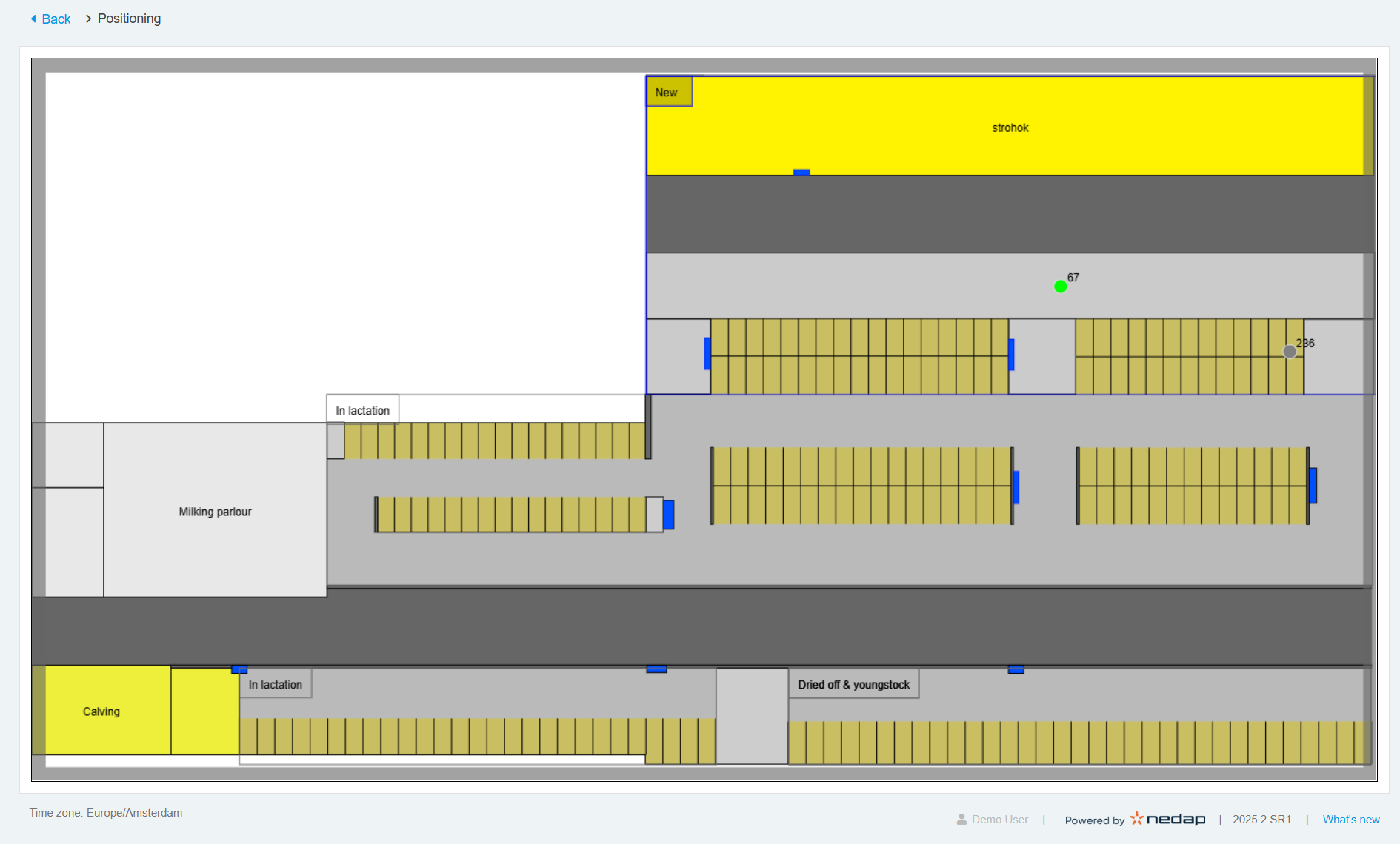
- The map opens in a new window. The selected animals appear as green circles showing their real-time positions.
NoteIf a circle is grey, the connection with that animal's tag is lost. Refer to the Troubleshooting section in the Cow Locating Installation Manual for possible solutions.
- View the map to locate the animals.
TipYou can zoom in or out on the map, but you cannot rotate it.
Troubleshooting
If the map isn’t working as expected, refer to the Troubleshooting section in the Cow Locating Installation Manual.
