To detect heat accurately, Velos must know when to generate heat attentions. Correct configuration helps detect heats on time while limiting false attentions.
How Heat Detection Attentions Are Determined
Velos creates a heat attention when:
- Activity exceeds the configured threshold.
- This higher activity continues across multiple consecutive 2-hour periods.
- The Velos heat detection algorithm also considers herd group behavior to reduce false-positive attentions.
How to Adjust Heat Sensitivity
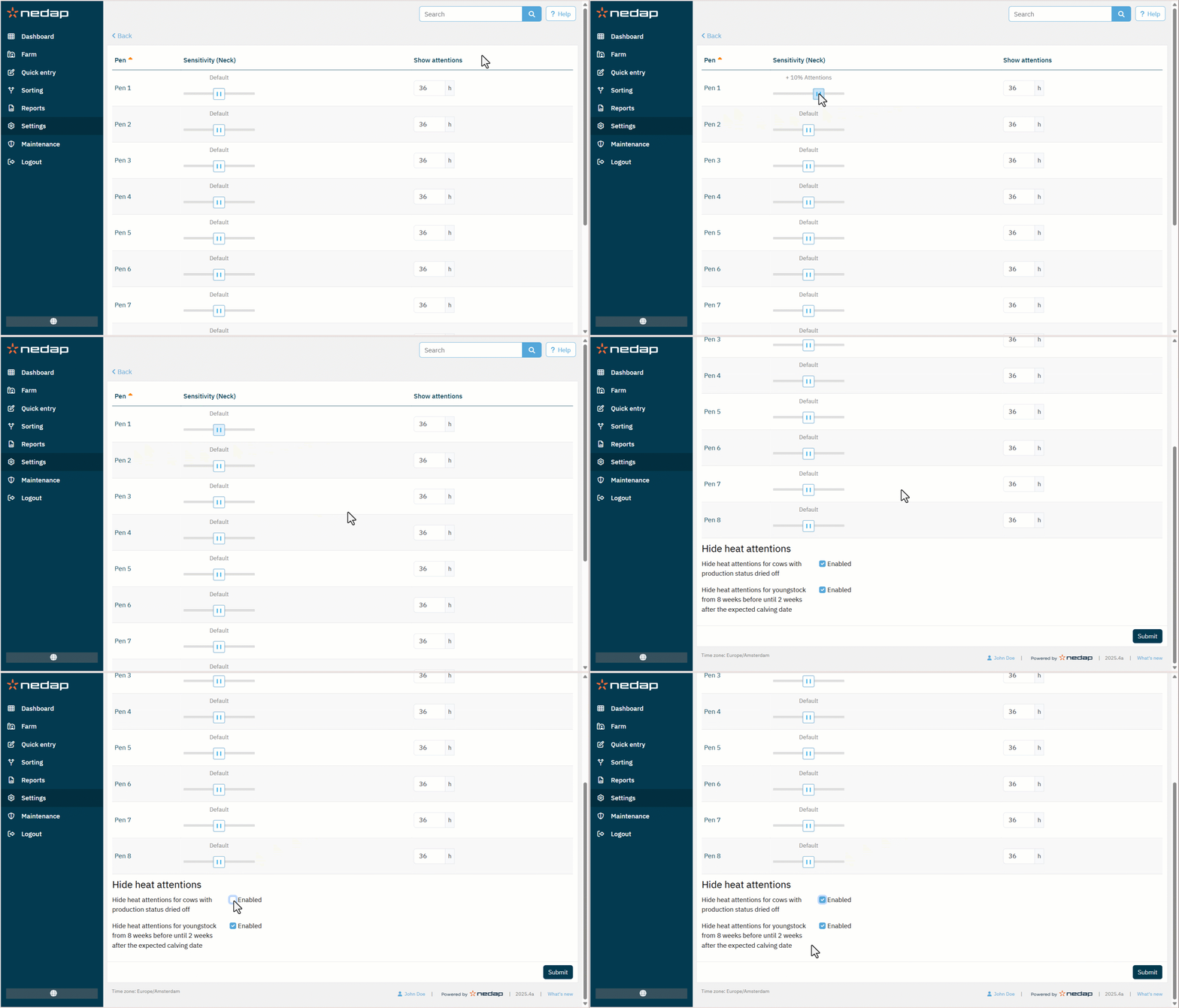
Use the following steps to adjust heat detection attentions:
Select Settings from the menu.
Under Heat detection, select Attentions.
Adjust the Sensitivity slider:
Under Show attentions, set how many hours a heat attention remains visible.
Select Submit to save your changes.