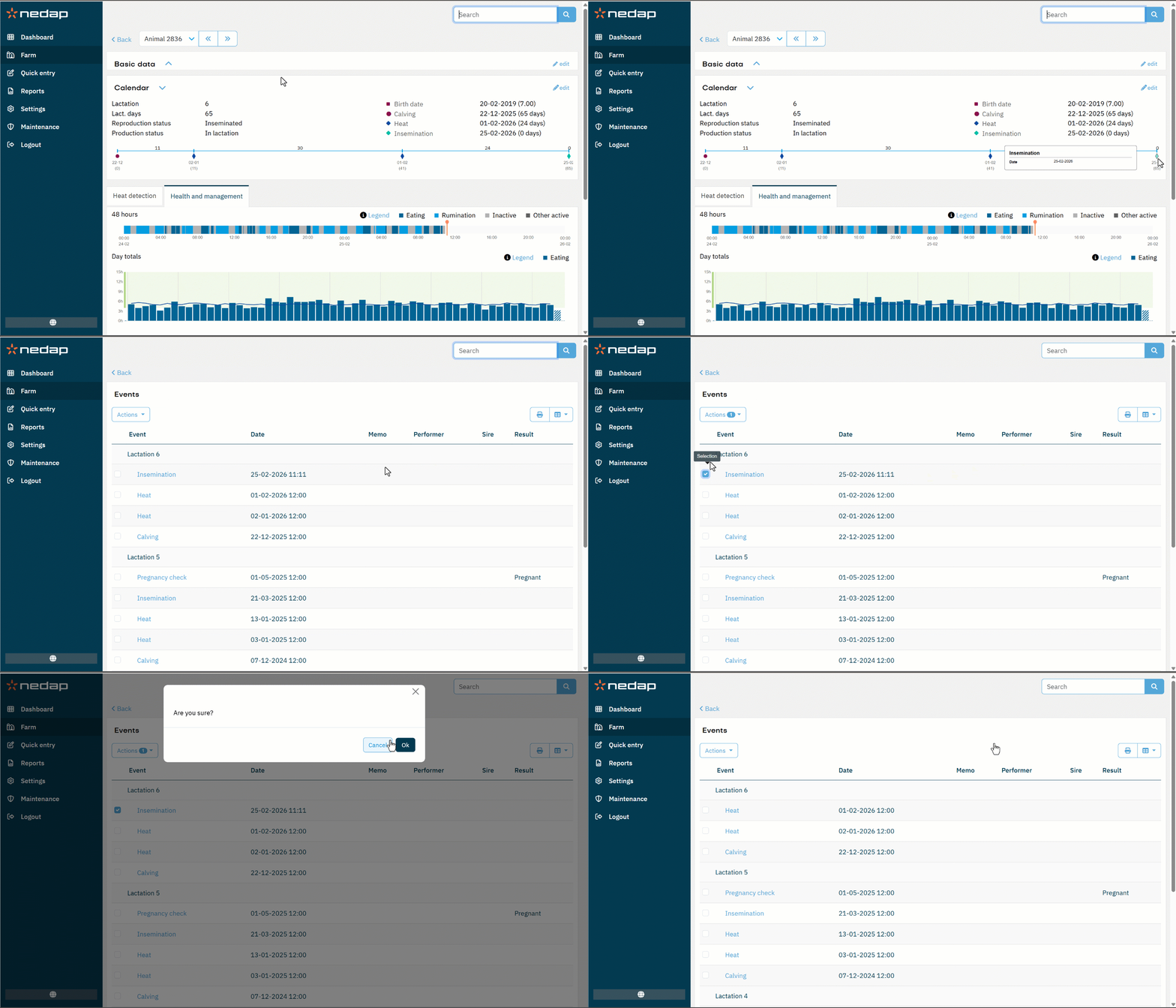
The Calendar section on the animal details page shows:
- Production and reproduction data: Current lactation, reproduction status, production status, expected calving date.
- Animal history data: The date of life events (birth, calving, insemination, pregnancy checks, dry off).
- Calendar time line: All calendar events since last calving or birth.
All calendar events with a date have a suffix in brackets indicating the time remaining until the event (expected dry off/calving) or since the event (calving, insemination, pregnancy check). The birth date is supplemented with the animal's current age.
View an Event
- Go to the Calendar section on the animal details page.
- Check the events listed in the legend, or hover over the timeline to view event details that appear in a info box.
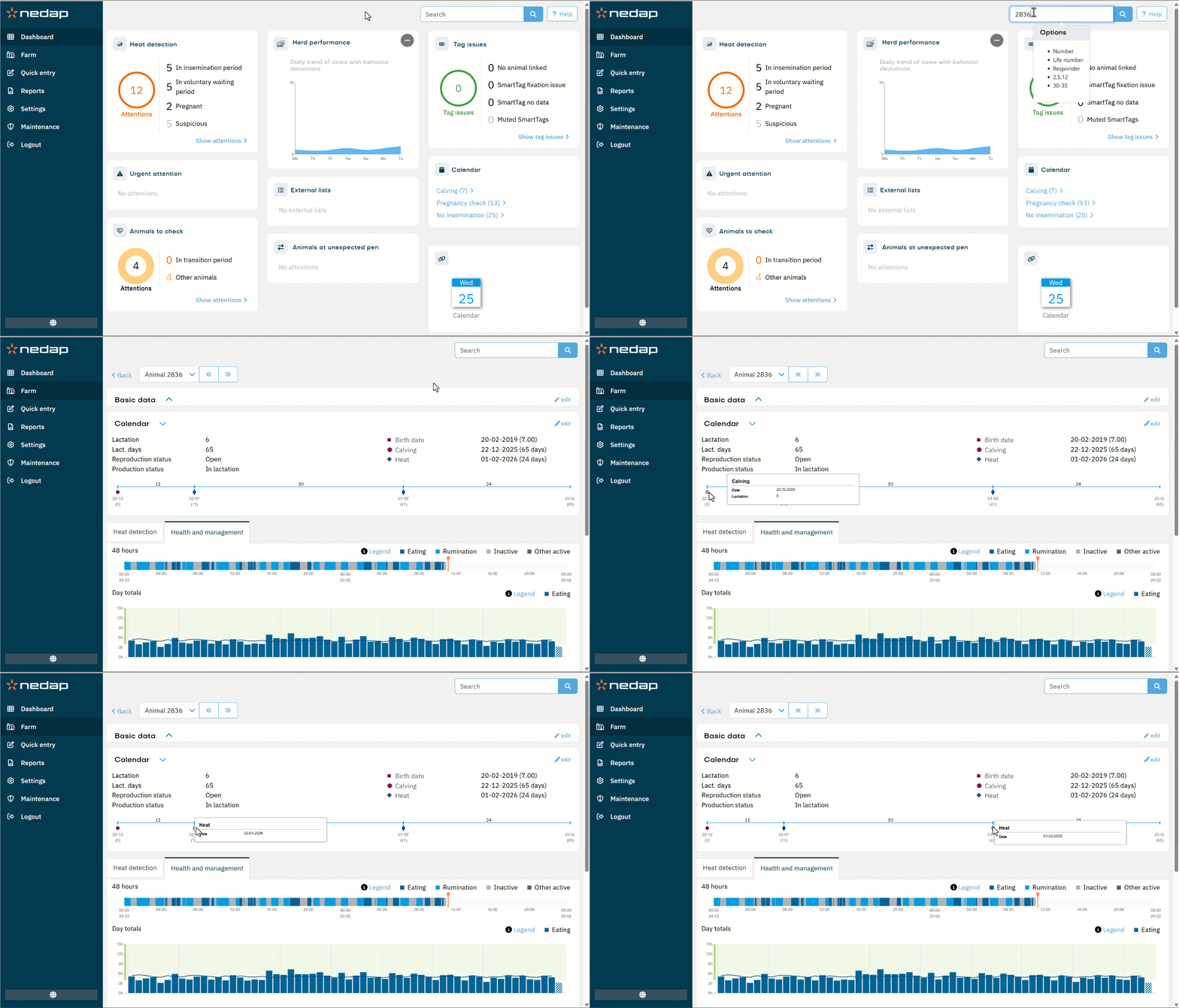
Add an Event
- In the Calendar section on the animal details page, select edit at the top right.
- Select Add event at the bottom right.
- Select the event you want to add, then complete the required fields shown on the screen.
- Select Submit to confirm.
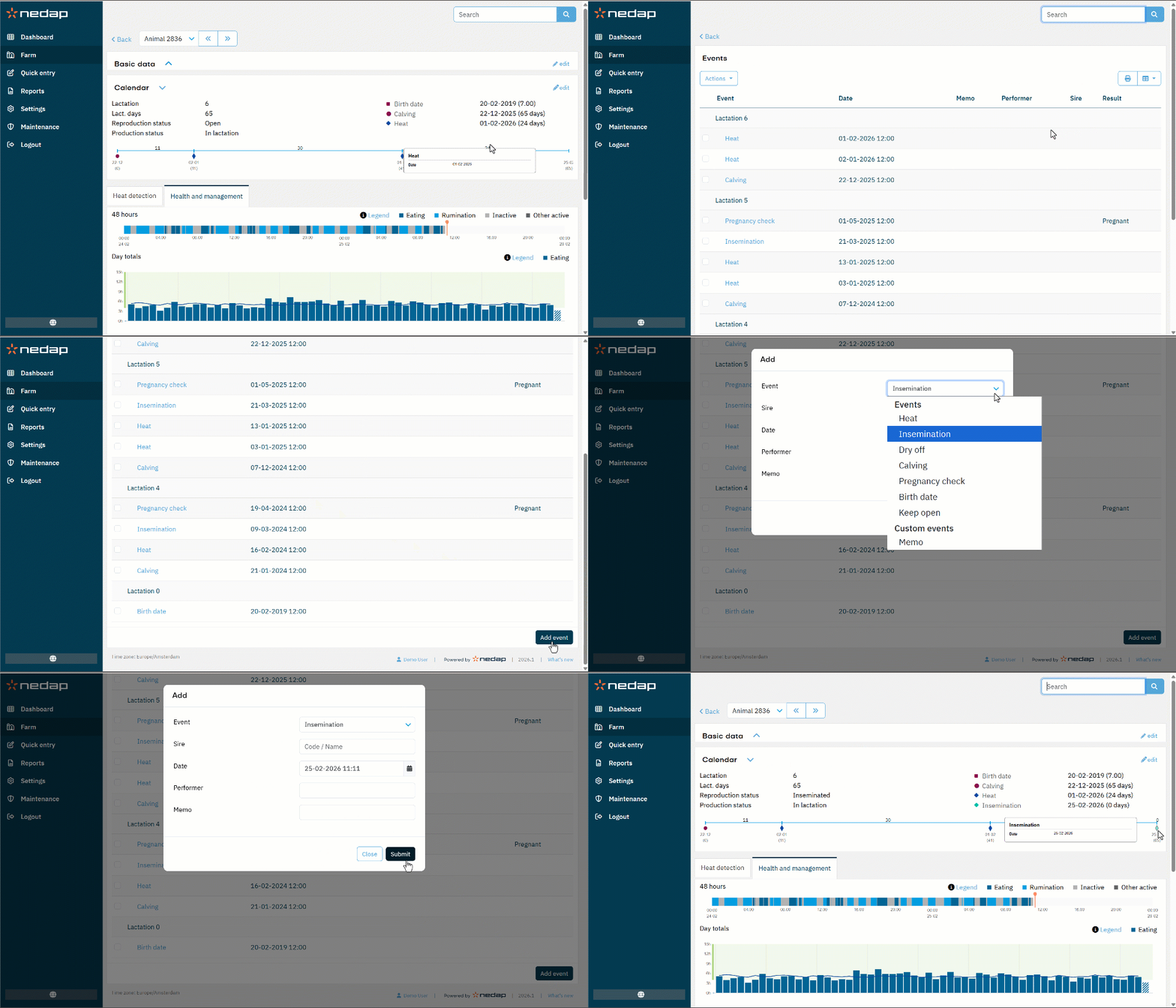
Change an Event
- In the Calendar section on the animal details page, select edit at the top right.
- Select the attention to change.
- Edit the items to change.
- Select Submit.
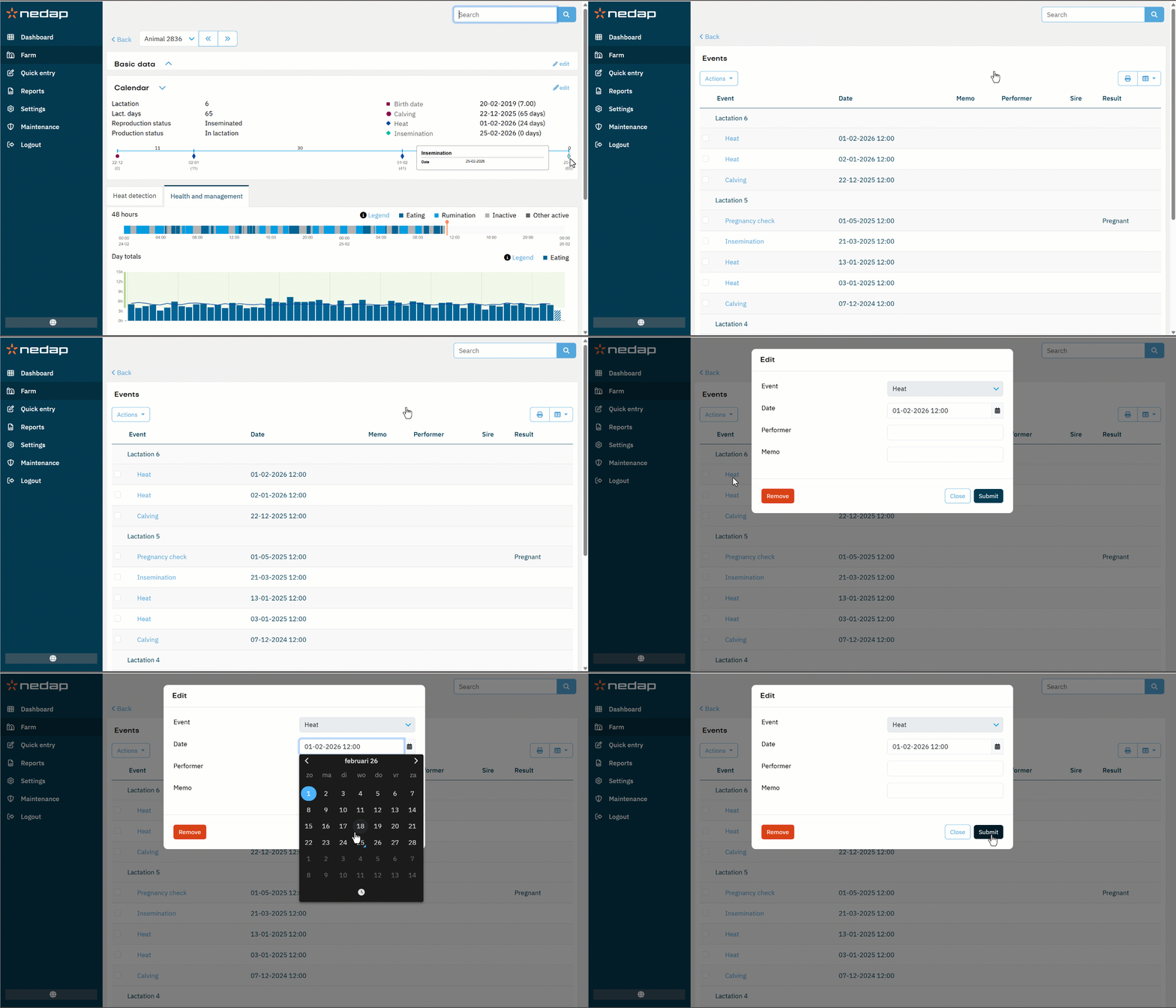
Remove an Event
You can remove 1 or multiple calendar events at a time.
Remove 1 calendar event
- In the Calendar section on the animal details page, select edit at the top right.
- Select the name of the event you want to remove.
- Select Remove to delete the event from the calendar.
- Select Ok to confirm.
Remove multiple calendar events
- In the Calendar section on the animal details page, select edit at the top right.
- Check the checkboxes of the events you want to remove.
- Select Actions > Remove.
- Select Ok to confirm.