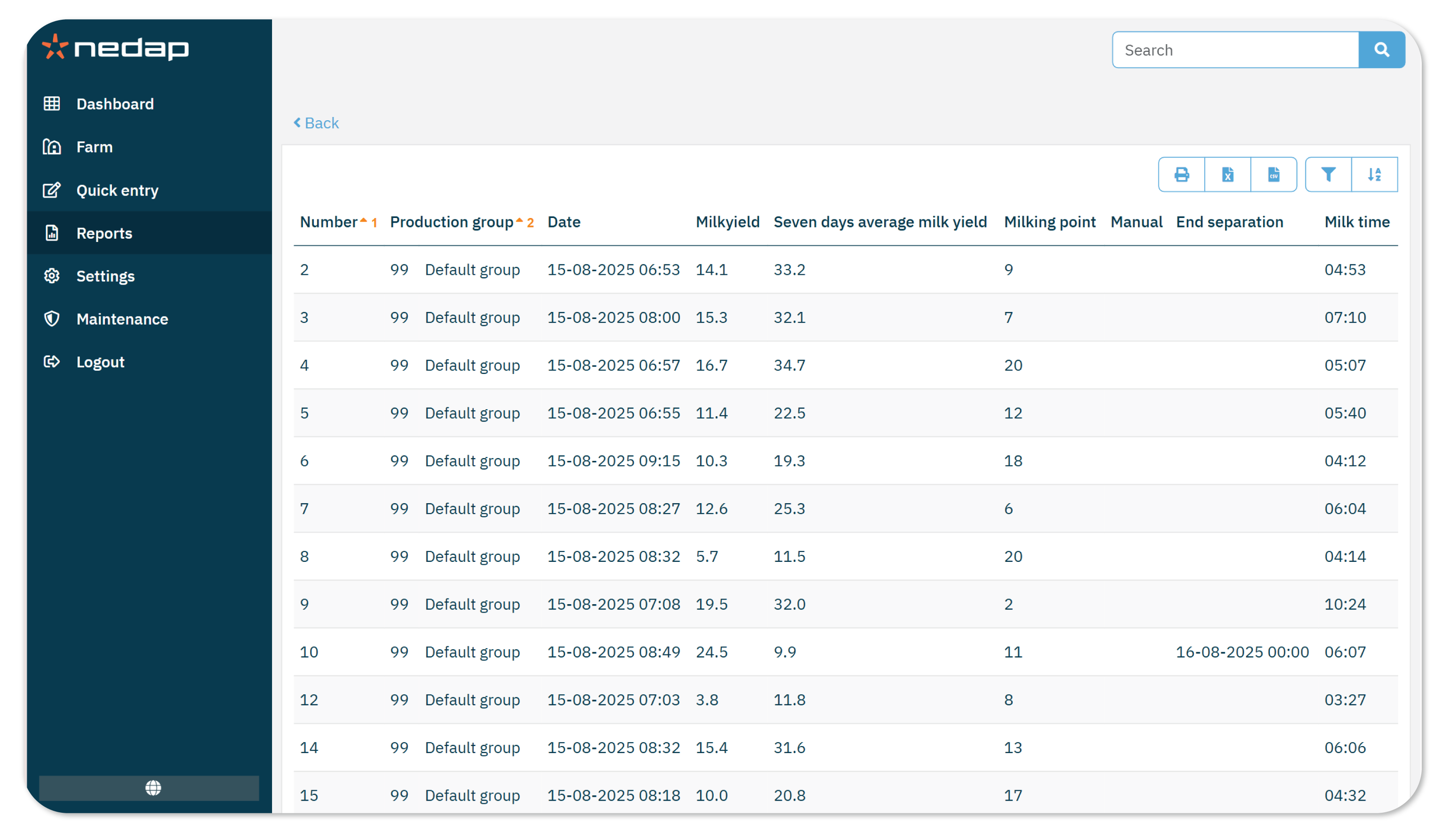
The Milk session report shows all milk results of the selected milking session. Use this report to look for abnormalities such as low yield or long milking times. This report can also be used to view and compare milking times, to improve and manage the milk sessions.
The report includes the following data:
- Milkyield
- Seven days average milkyield
- Milking point
- Manual: Indicates whether the milk yield was entered manually
- End separation: In case of milk separation, this shows the date when the separation ends.
- Milk time
NoteOnly the last 3 milking sessions are available in this report.
How to Use this Report
Use this report to analyze the last three milking sessions to find abnormalities or improve your management.
To view the report:
- Go to Reports
- Under Milking, select Milk session report.
- Select the Production group.
- Select the period you want to view.
- Select a session to set the start of the period.
TipThe number behind the date is the milking session number. For example, 18-08 (1) is the first milking session of the day and 18-08 (2) is the second milking session. Check your Milking times settings to see how your milking sessions are set up.
- Select Ok.
- Review the list. You can sort and filter the data as needed.
(Optional) Print the report or export it as a CSV, Excel or PDF file.
What is the Difference with the Milking Day Report?
The Milking day report contains more animal-specific information. Hence, use the Milk session report for technical improvement and Milking day report for animal based information.
