The Lameness checks worklist shows animals with a lameness check alert. Use the Lameness checks worklist to identify animals that may benefit from trimming. This worklist is available for all companies that have SmartSight Locomotion Monitoring.
How it works
Each animal receives a locomotion score when passing the SmartSight camera. This score reflects how the animal's walking pattern compares to her own normal movement over time. Based on the current score and trend, the animal is given one of the three issue types. The type of issue explains the urgency of attention needed.
Types of Issues
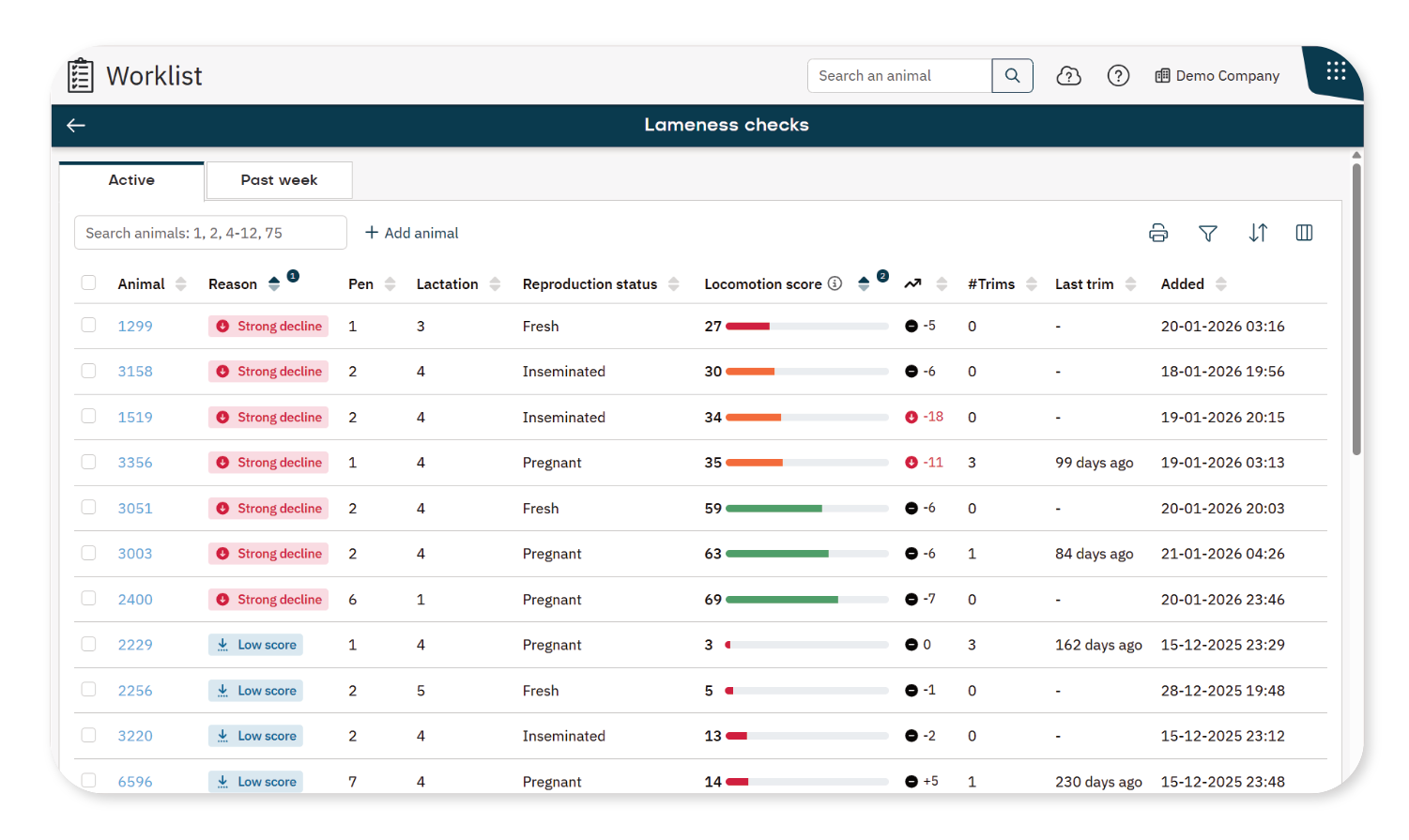
The type of issue is depicted in the Reason column.
Strong decline: A clear and rapid decline compared to the animal's own normal pattern. This indicates a sudden change and requires the highest priority for action.
Low and declining: The locomotion score is below your defined threshold and continues to decline, but less sharply. This suggests a developing issue that should be monitored and planned.
Low score: The locomotion score is below your defined threshold, but remains stable or improves. Low scores are not always caused by hoof issues and may have other causes. You can choose whether or not to show low-score animals in the worklist.
Manually added: The animal was manually added to the list by a user via the Add animal button.
What you See on the Dashboard
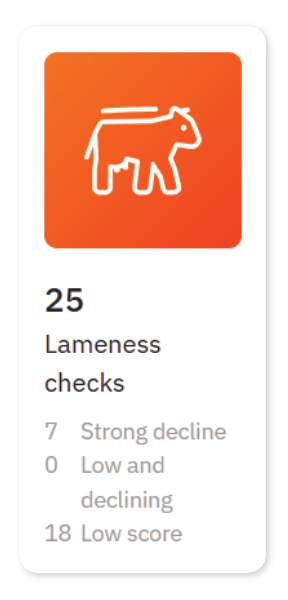
On the dashboard, the Lameness checks tile shows:
- Strong decline: The number of animals with a strong decline issue.
- Low and declining: The number of animals with a low and declining issue.
- Low score: The number of animals with a low score issue.
Tabs Overview
The Lameness checks worklist is divided into two tabs to help you track current and recently handled animals.
- Active: Shows animals currently detected with a locomotion issue.
- Past week: Shows animals that were handled on the Active tab within the last 7 days.
How to Interpret the Data
Focus on these columns in the worklist to determine next steps:
- Reason: Shows type and urgency of the animal is on the worklist.
- Locomotion score: Shows the actual locomotion score.
- Trend: Shows the animal's trend over the past 24 hours.
- #Trims: Shows the number of trim events since previous dry off (or calving date if no dry off date is available).
- Last trim: Date of the last trim event.
To see more information, select the arrow icon to open the locomotion graph, or select the animal number to view her full details.
Next Step
Once you've interpreted the data and identified which animals are ready for trimming or other handling, you can take appropriate actions. See Handle Animals on the Lameness Checks Worklist for step-by-step instructions.
