

Velos webhelp
-
Velos webhelp
-
Velos - Heat detection
- What is a Heat Attention?
- Understand the Heat Detection Tile
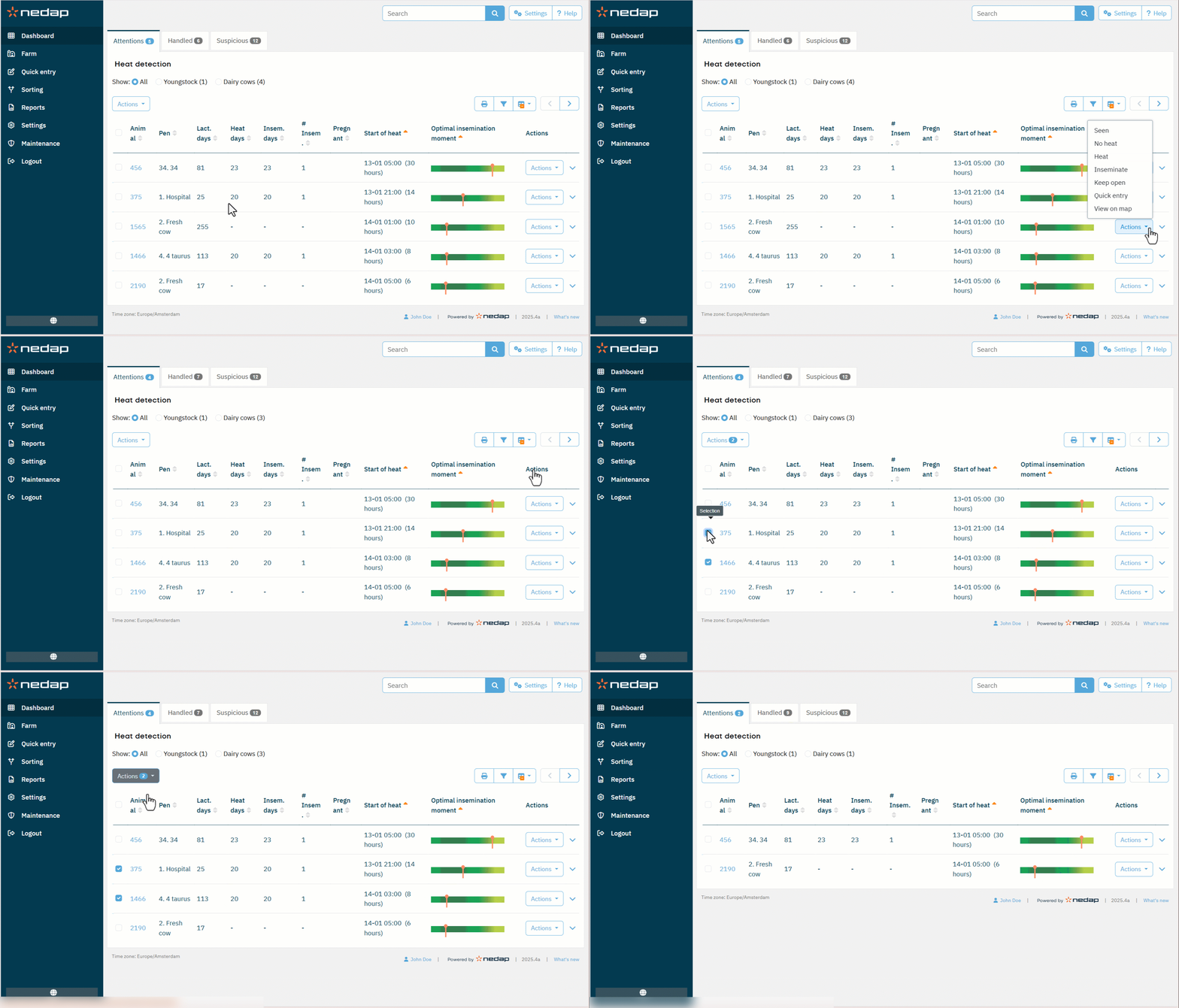
- View and Handle Animals with Heat Attentions
- View and Interpret Heat Detection Activity
- When Should I Inseminate?
- Enter An Insemination in Velos
- Control Which Animals Appear on the Heat Attentions List
- Adjust the Heat Attention Sensitivity
- Find Animals Quickly with View on Map
- Velos - Urgent attention
- Velos - Dashboard
- Velos - Animals to check
- Velos - Herd performance
- Velos - Calendar
- Velos - Tags
-
Velos - Farm
- What can I do on the farm page?
- What should I do with unknown animals?
- What is a production group in Velos?
- How do I see the data of one animal or one group/pen?
- I want to delete a group/pen, but I cannot select it
- An animal moves to another group/pen. What should I do?
- How can I interpret the herd performance graphs?
-
Velos - Feeding: configuration
- Why and where do I create a feed plan?
- How do I create a feed plan when using a Farm Management Program?
- How do I create a feed plan when using only Nedap Velos?
- How do I define the spreading and limits of feed when using a Farm Management Program?
- How do I define the required feed amounts when not using a Farm Management Program?
- How do I define limits and spreading of feed plans without using a Farm Management Program?
- How do I set the feed start?
- How do I activate feed balance attentions?
- How do I activate feeding in the milk parlor?
- How should I calibrate the feed stations?
- Velos - System attentions
- Velos - System notifications
- Velos - Quick entry
- Velos - Roles and permissions
- Velos - Integration & Licensing
- Velos - Icons
-
Velos - Feeding: daily use
- What can I see in the Feeding widget?
- What should I do when I receive a Feed balance attention?
- When do I receive a Feed balance attention?
- How do I define corrections?
- How do I block feeding for a certain period?
- How do I turn off feeding?
- How do I feed unknown cows?
- Where can I find feeding overviews?
- How do I assign feed to cows without using a Farm Management Program?
- How to do a feed start?
-
Velos - Milking
-
Milking Reports
- Overview of Milking Reports
- How and When to Use the Cows Not Milked Report (Current and Historical)
- How and When to Use the Milk Attentions Report
- How and When to Use the Milk Meter Statistics Report
- How and When to Use the Milk Separation Report
- How and When to Use the Milk Session Report
- How and When to Use the Milking Day Report
- How and When to Use the Smartflows Report
- Milking Settings
-
Milking Reports
-
Velos - Sorting
- Setup Sorting Options for the InTouch and Parlor Monitor
- Add Sorting Pens and Lanes between Sorting Gates
- View Sorted Animals
- View Which Animals Are Being Sorted Now
- Create Sorting Rules
- Use Quick Sort to Directly Sort Individual Animals
- Enable, Disable or Remove a Sorting Rule
- Adjust Quick Sort Buttons
-
Velos - Heat detection